报错如下
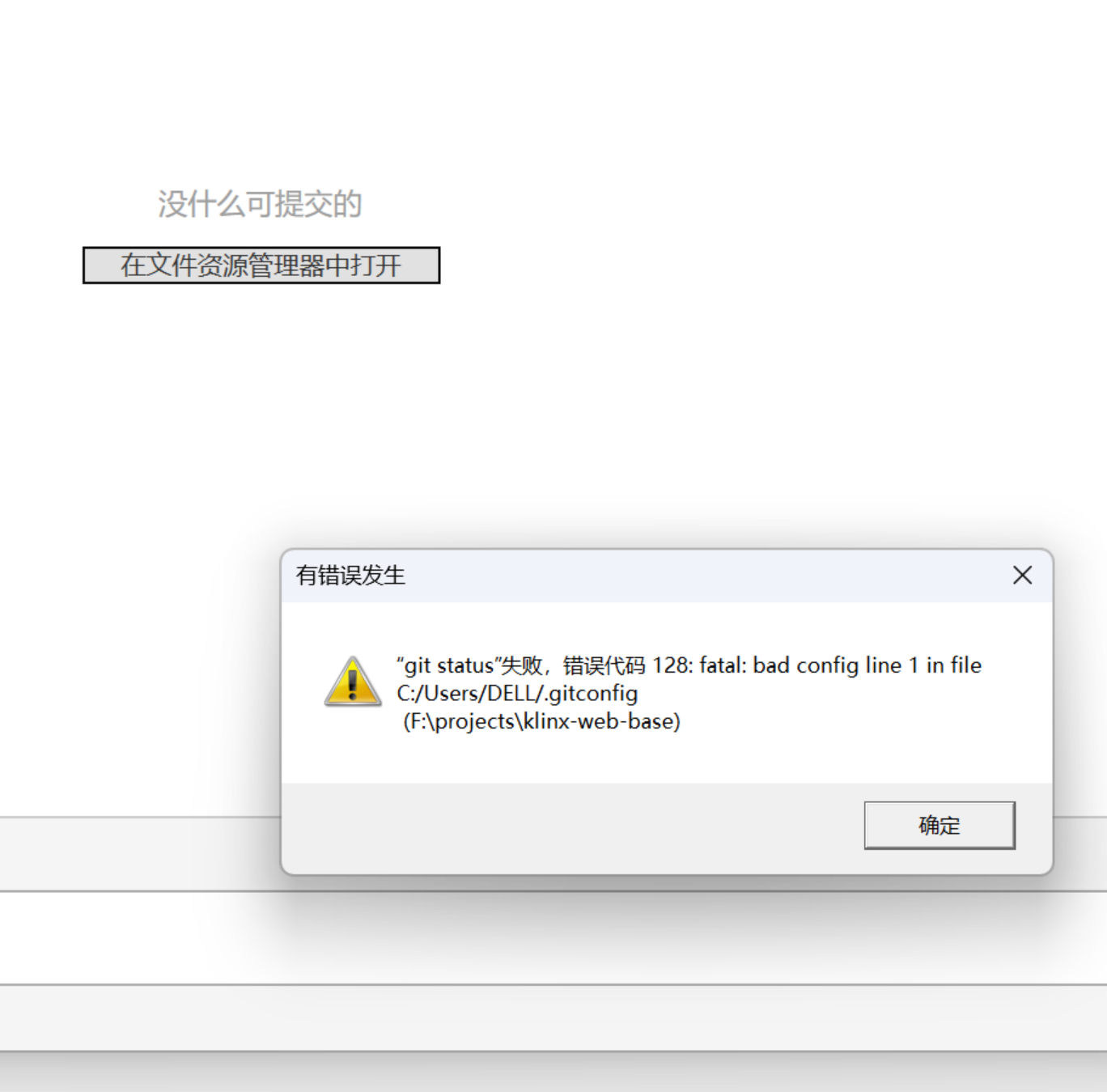
解决办法
删除 .gitconfig 文件,然后重启 gitbash& vscode 即可正常显示分支了。记得重新设置git的账号邮箱。
- IDEA项目名称后面出现中括号,模块Modules的名子和文件夹名称不同,可以右键修改名称也可以在File->Project Structure 修改Modules的Name(快捷键ctrl+Shift+Alt+s)
- linux 安装最新版本git
- Pycharm读excel文件报错xlrd.biffh.XLRDError: Excel xlsx file not supported
- git bash报错fatal: detected dubious ownership in repository at的解决方法
- fish和pacman:“error: Unable to read input file: 是一个目录”报错的处理
- "nginx.conf" E514 : write error (file system full?)
- redis报错MISCONF Errors writing to the AOF file: No space left on device,磁盘满无法写入数据报错
- [极客大挑战 2019]Secret File 1
- git commit规范
- Git提交规范
本栏目推荐文章