to solve above issue just change "Host Key Verification Strategy" to "Accept first connection" Dashboard > Manage Jenkins > Configure Global Security >
Git Host Key Verification Configuration. Then in Host Key Verification Strategy select Accept first connection.
I had the same problem in a php project. I ranssh-keygen -R "gitlab.com"and it worked
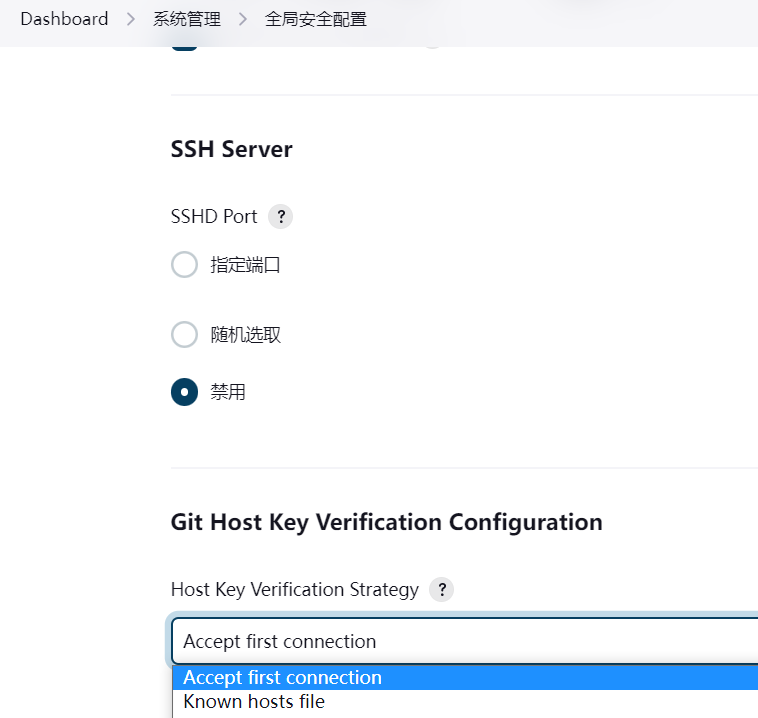
jenkins 无法连接gitlab 通过ssh-key原因是不认识主机名在known_hosts,需要在 dash-board--->系统管理-->全局安全配置中--->
Host Key Verification Strategy--->选择
Accept first connection