常用
设计一个居中的代码
<template>

  <el-container class="container">
  <el-card class="box-card">
    <div class="clearfix">
      <span>卡片名称</span>
      <el-button style="float: right; padding: 3px 0" type="text">操作按钮</el-button>
    </div>
    <div v-for="o in 4" :key="o" class="text item">
      {{'列表内容 ' + o }}
    </div>
  </el-card>
  </el-container>

</template>


<script>
export default {
  name: "ForgetPsw"
}
</script>

<style scoped>
.container {
  display: flex;
  justify-content: center;
  align-items: center;
  height: 100vh;
}

/*.card{*/

/*}*/
/*.text {*/
/*  font-size: 14px;*/
/*}*/

/*.item {*/
/*  margin-bottom: 18px;*/
/*}*/


/*.clearfix:after {*/
/*  display: table;*/
/*  content: "";*/
/*}*/


.box-card {
  width: 480px;
}
</style>
样式注意先后
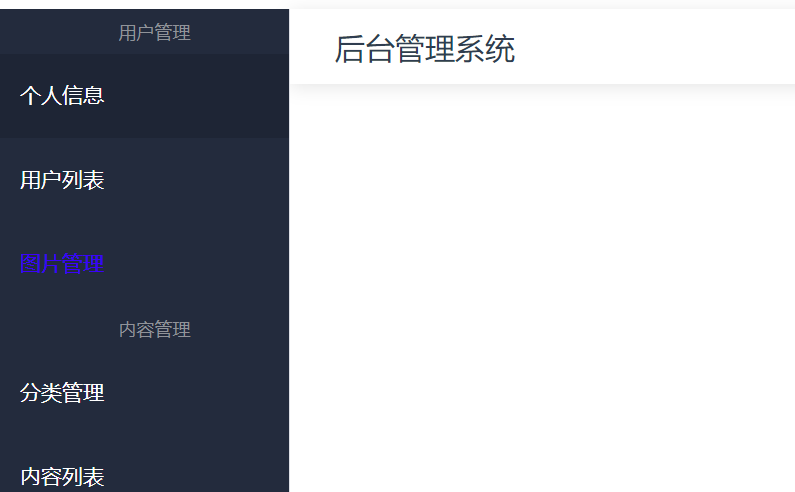
点击后编程蓝色
.my-link {
  text-decoration: none; /* 去掉默认下划线 */
  position: relative; /* 设置相对定位 */
  color: white; /* 设置字体颜色 */
}

.my-link:active::after {
  color: blue; /* 设置字体颜色为蓝色 */
}

//注意顺序的先后
.router-link-active {
  text-decoration: none;
  color: blue;
}