Netcat Install in Windows OS
- Netcat is a simple
Unixtool. it usesUDP,TCPProtocol.
Netcat 是一个可靠的容易被其他程序所启用的后台操作工具,同时它也被用作网络的测试工具或黑客工具。
使用它你可以轻易的建立任何连接。
其内建有很多实用的工具。
1 Netcat Overview
2 Usage & Practice
2.1 Install in Windows
Step1 Download
- official download link
https://eternallybored.org/misc/netcat/


Step2 Decompression as Install
-
decompression the install package
D:\Program Files(x86)\netcat


select turst the risk file for security software.
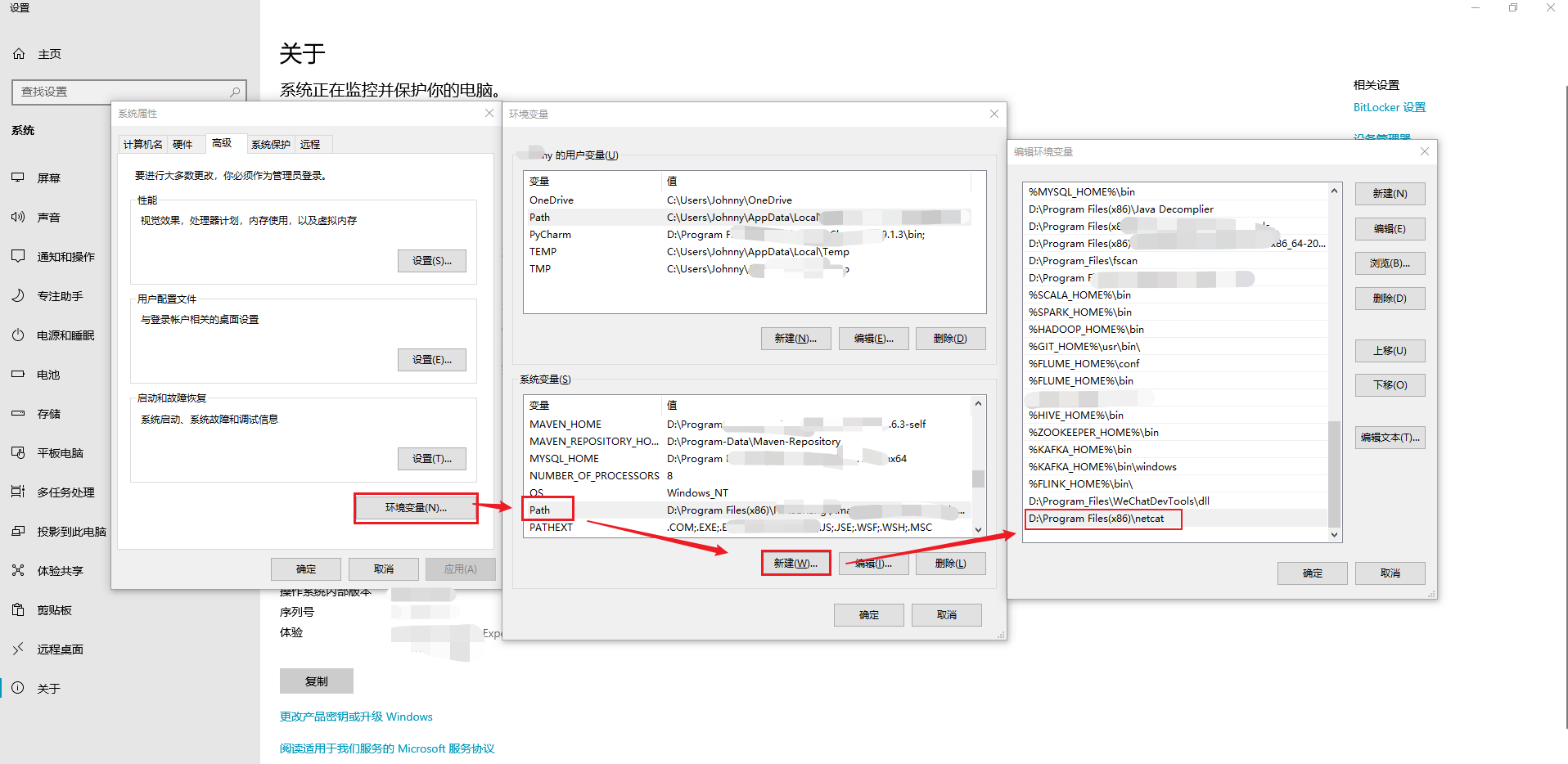
Step3 config os environment variables(PATH)
Step4 Test & Verify
-
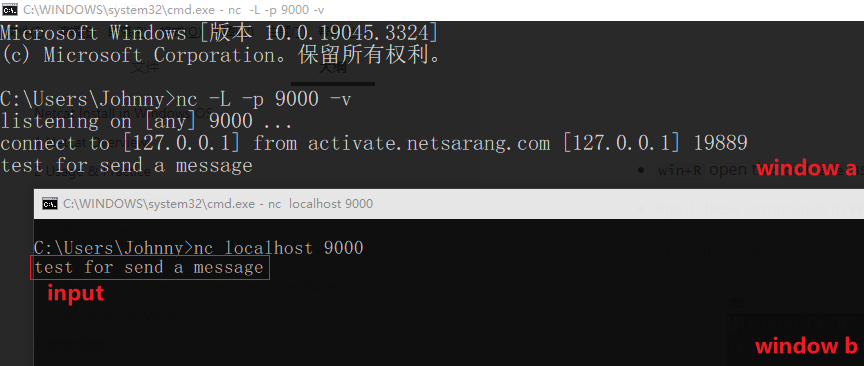
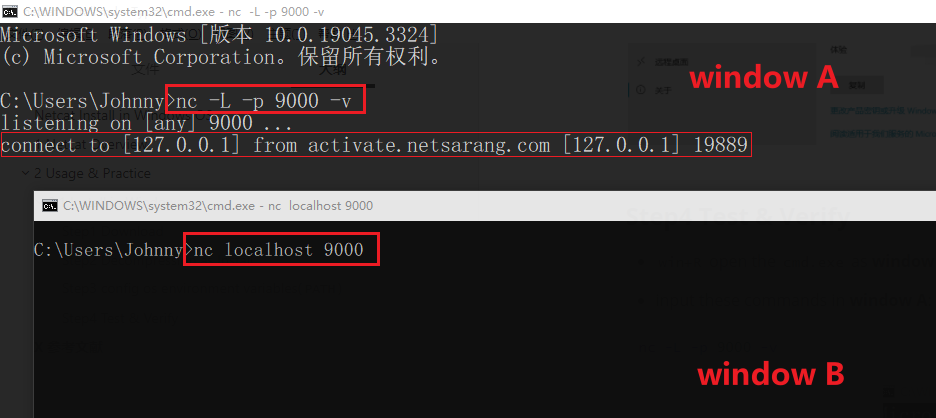
win+Ropen thecmd.exeas window A -
input these commands in window A:
nc -L -p 9000 -v

-
win+Ropen thecmd.exeas window B -
input these commands in window B:
nc localhost 9000
- input
test for send a messageto window B
the content will be shown in window A