现在支持导出excel数据,可以使用自己喜欢的软件生成图像了。
目标检测数据集分析
平时我们经常需要对我们的数据集进行各种分析,以便我们找到更好的提高方式。所以我将我平时分析数据集的一些方法打包发布在了Github上,分享给大家,有什么错误和意见,请多多指教!
项目地址
图片数量、标注框数量、类别信息
这些信息会在终端打印出来,格式如下:
Processing, please wait...

============ Errors ============

Annotations\helmet_10551.xml Image has wrong height and width.

============ Errors ============


***************** Info *****************

number of images: 43677
number of boxes: 62239
classes =  ['unwear', 'wearing']

***************** Info *****************

Processing completed. The result is saved in out.
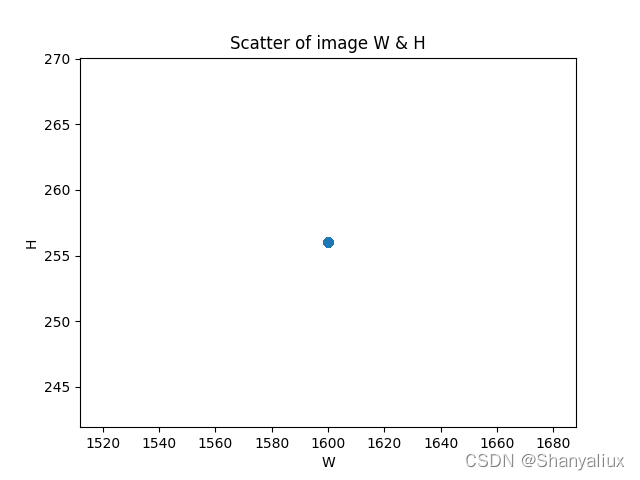
所有图片宽度和高度的散点图
这里只有一个点,是因为所有的图片尺寸相同
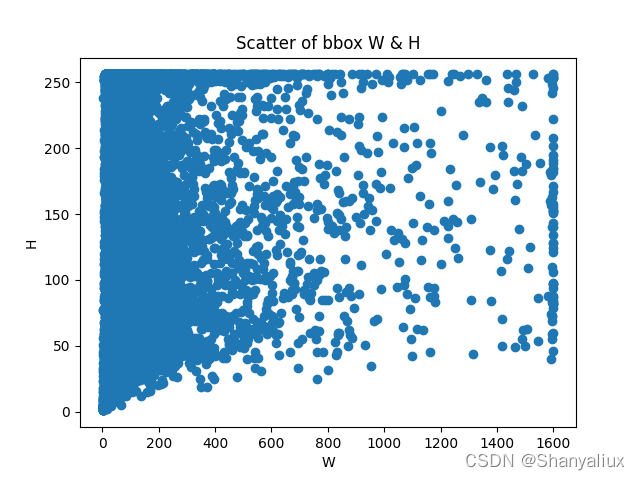
所有标注框宽度和高度的散点图
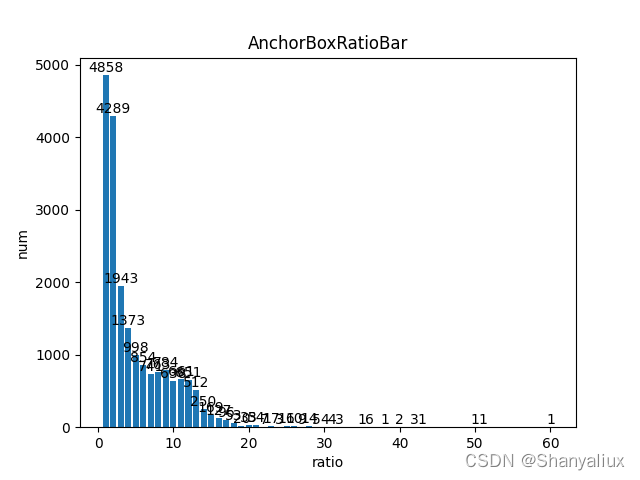
标注框宽度和高度之比
横坐标为比率,纵坐标为数量
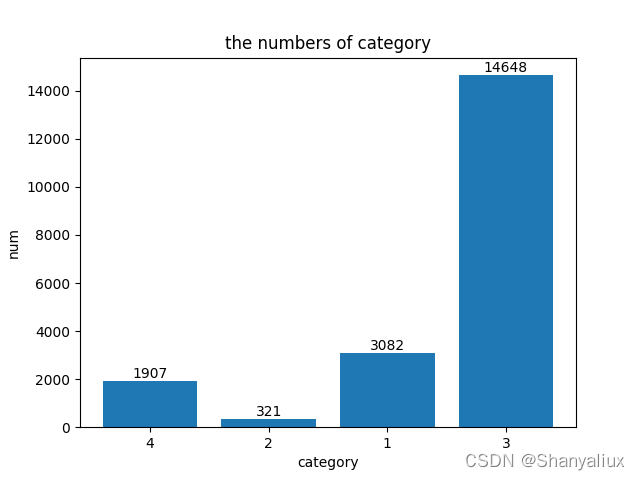
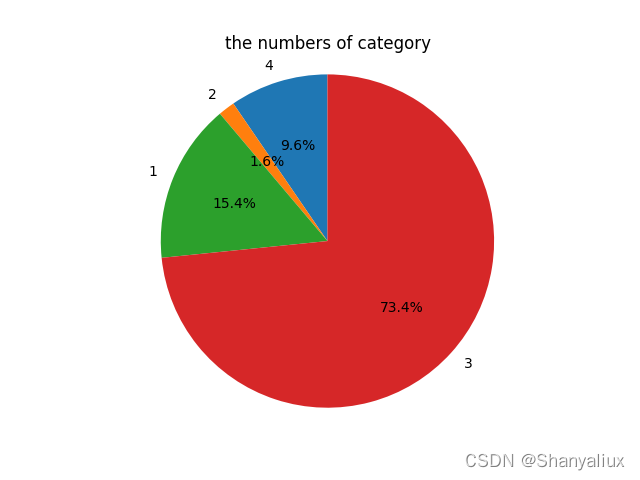
每一类的标注框数量
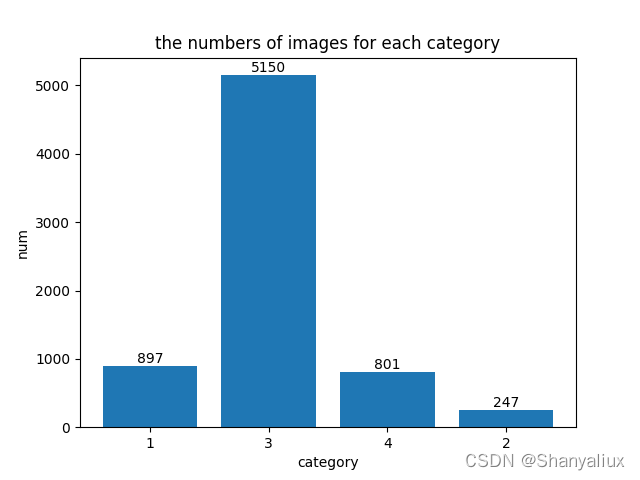
每一类图片数量
每一张图片上的标注框数量
横坐标为一张图片上的标注框数量,纵坐标为图片数量

不同尺寸的图片数量
根据coco的划分规则计算
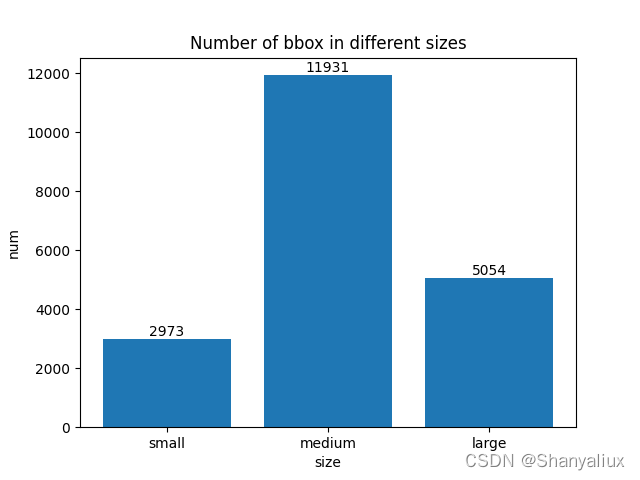
每一类标注框的宽度高度散点图
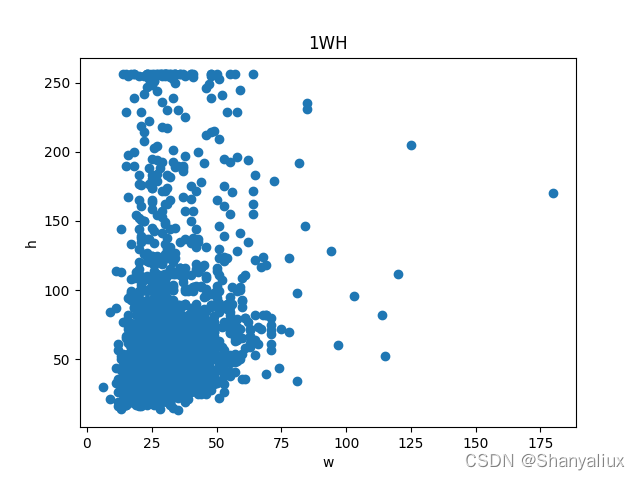
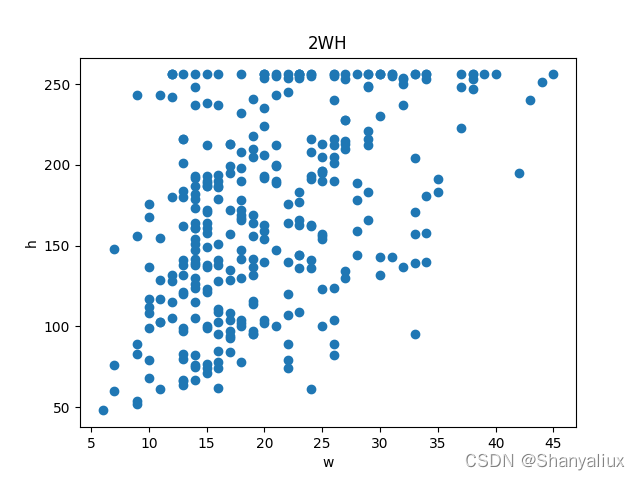
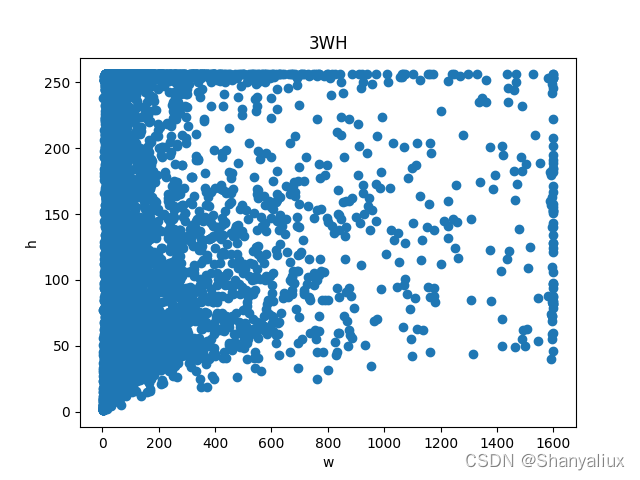
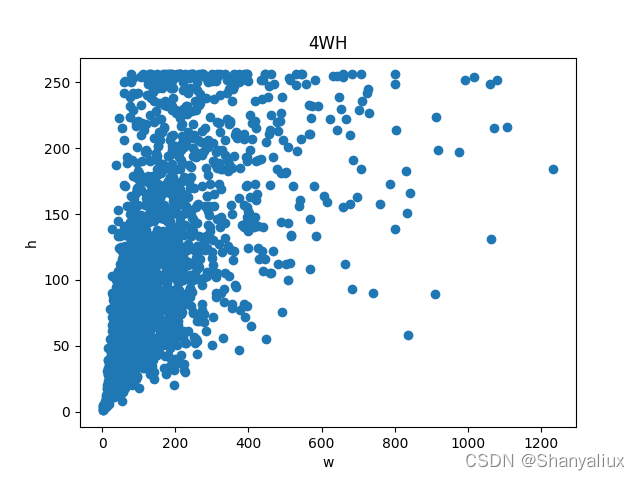
使用方法
Install
git clone https://github.com/Ghlerrix/DataAnalyze.git
cd DataAnalyze
pip install -r requirements.txt
Usage
python analyze.py ${type} ${path} [--out ${out}]
typeThe format of the dataset, optional 'coco' or 'voc'.pathThe path of dataset.
Iftypeis 'coco', thepathis the json file path.
Iftypeis 'voc', thepathis the path of the xml file directory.--outis the output directory, default is './out'
Example
python analyze.py coco ./tarin.json --out ./out/
python analyze.py voc ./xml/ --out ./out/