在es中,默认查询的 from + size 数量不能超过一万,官方对于超过1万的解决方案使用游标方案,今天介绍下几种方案,希望对你有用。
数据准备,模拟较大数据量,往es中灌入60w的数据,其中只有2个字段,一个seq,一个timestamp,如下图:

方案1:scroll 游标
游标方案中,我们只需要在第一次拿到游标id,之后通过游标就能唯一确定查询,在这个查询中通过我们指定的 size 移动游标,具体操作看看下面实操。
kibana
# 查看index的settings
GET demo_scroll/_settings
---
{
  "demo_scroll" : {
    "settings" : {
      "index" : {
        "number_of_shards" : "5",
        "provided_name" : "demo_scroll",
        "max_result_window" : "10000", # 窗口1w
        "creation_date" : "1680832840425",
        "number_of_replicas" : "1",
        "uuid" : "OLV5W_D9R-WBUaZ_QbGeWA",
        "version" : {
          "created" : "6082399"
        }
      }
    }
  }
}
---

# 查询 from+size > 10000 的
GET demo_scroll/_search
{
  "sort": [
    {
      "seq": {
        "order": "desc"
      }
    }
  ],
  "from": 9999,
  "size": 10
}
---
{
  "error": {
    "root_cause": [
      {
        "type": "query_phase_execution_exception",
        "reason": "Result window is too large, from + size must be less than or equal to: [10000] but was [10009]. See the scroll api for a more efficient way to request large data sets. This limit can be set by changing the [index.max_result_window] index level setting."
      }
    ],
    "type": "search_phase_execution_exception",
    "reason": "all shards failed",
    "phase": "query",
    "grouped": true,
    "failed_shards": [
      {
        "shard": 0,
        "index": "demo_scroll",
        "node": "7u5oEE-kSoqXlxEHgDZd4A",
        "reason": {
          "type": "query_phase_execution_exception",
          "reason": "Result window is too large, from + size must be less than or equal to: [10000] but was [10009]. See the scroll api for a more efficient way to request large data sets. This limit can be set by changing the [index.max_result_window] index level setting."
        }
      }
    ]
  },
  "status": 500
}
---

# 游标查询,设置游标有效时间,有效时间内,游标都可以使用,过期就不行了
GET demo_scroll/_search?scroll=5m
{
  "sort": [
    {
      "seq": {
        "order": "desc"
      }
    }
  ],
  "size": 200
}
上面操作中通过游标的结果返回:
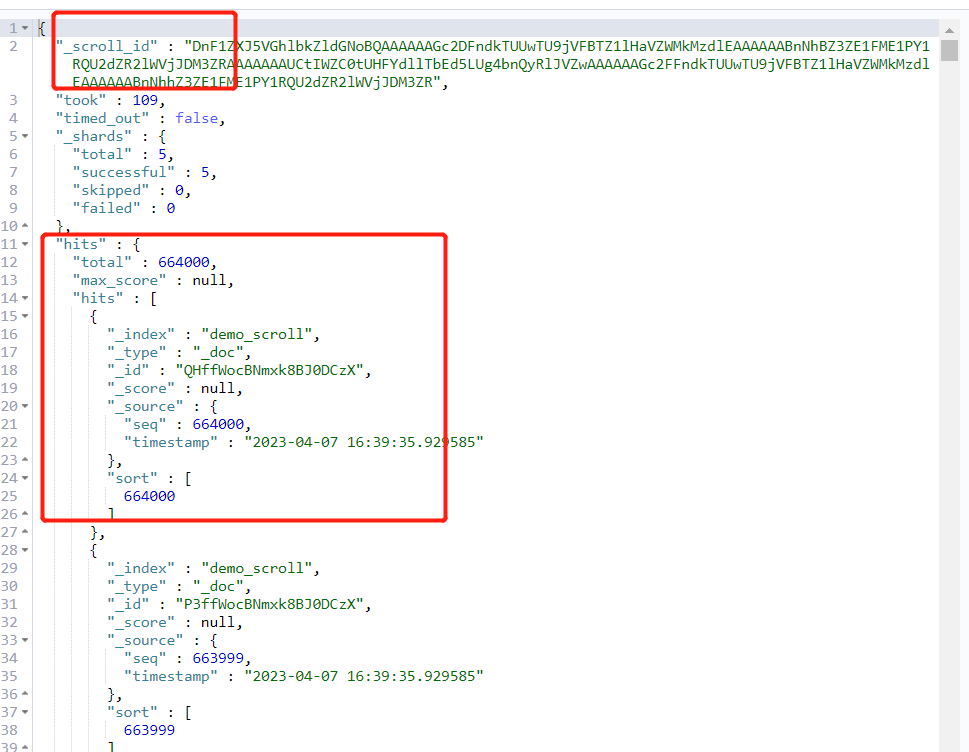
复制_scroll_id到查询窗口中:
GET _search/scroll
{
  "scroll":"5m",
  "scroll_id": "DnF1ZXJ5VGhlbkZldGNoBQAAAAAAGc2DFndkTUUwTU9jVFBTZ1lHaVZWMkMzdlEAAAAAABnNhBZ3ZE1FME1PY1RQU2dZR2lWVjJDM3ZRAAAAAAAUCtIWZC0tUHFYdllTbEd5LUg4bnQyRlJVZwAAAAAAGc2FFndkTUUwTU9jVFBTZ1lHaVZWMkMzdlEAAAAAABnNhhZ3ZE1FME1PY1RQU2dZR2lWVjJDM3ZR"
}
以下是返回结果:
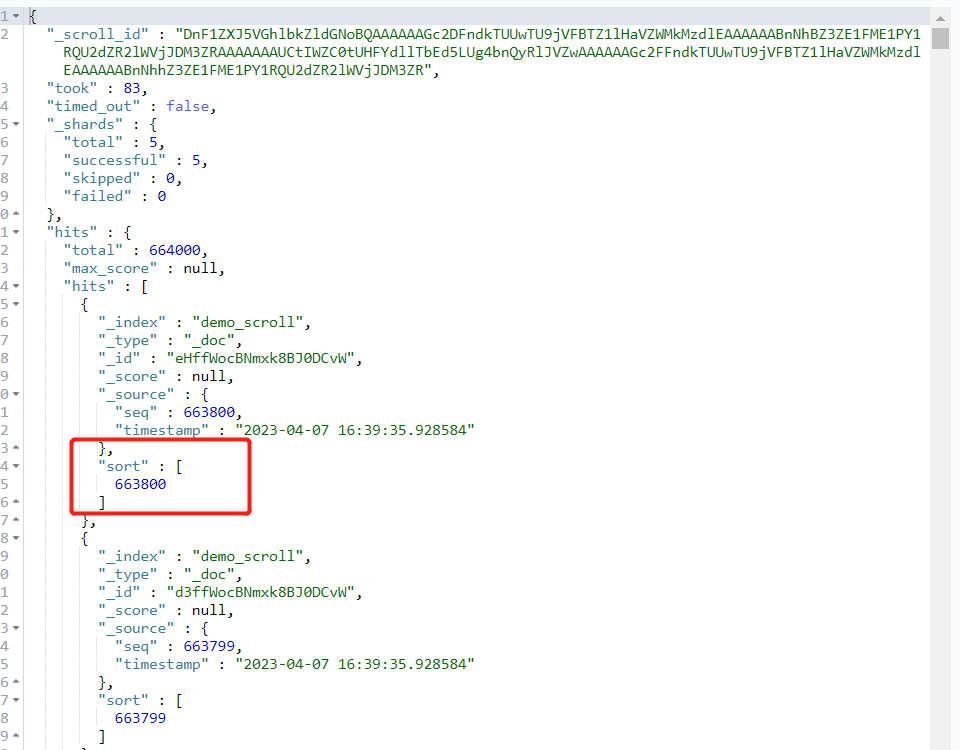
注意,此时游标移动了,所以我们可以通过游标的方式不断后移,直到移动到我们想要的 from+size 范围内。
看看python中实现:
python
def get_docs_by_scroll_v2(index, from_, size, scroll="10m"):
    """

    :param index:
    :param from_:
    :param size:
    :param scroll: scroll timeout, in timeout, the scroll is valid
    :param timeout:
    :return:
    """

    query_scroll = {
        "size": size,
        "sort": {"seq": {"order": "desc"}},
        "_source": ["seq"]
    }
    init_res = es.search(index=index, body=query_scroll, scroll=scroll, timeout=scroll)
    scroll_id = init_res["_scroll_id"]
    ans = []
    for i in range(1, int(from_/size)+1, 1):
        res = es.scroll(scroll_id=scroll_id, scroll=scroll)
        if i == int(from_/size):
            for item in res["hits"]["hits"]:
                ans.append(item["_source"])

    return ans
我们只需要通过size控制每次游标的移动范围,具体结果看实际需求。
游标确实可以帮我们获取到超1w的数据,但也有问题,就是如果分页相对深的时候,游标遍历的时间相对较长,下面介绍另外一种方案。
方案2:设置 max_result_size
在此方案中,我们建议仅限于测试用,生产禁用,毕竟当数据量大的时候,过大的数据量可能导致es的内存溢出,直接崩掉,一年绩效白干。
下面看看操作吧。
kibana
# 调大查询窗口大小,比如100w
PUT demo_scroll/_settings
{
  "index.max_result_window": "1000000"
}