一、代理池搭建
1、频繁爬网站,ip容易被封
# ip代理
	-每个设备都会有自己的IP地址
    -电脑有ip地址---》访问一个网站---》访问太频繁---》封ip

    -收费:靠谱稳定--提供api
    -免费:不稳定--自己写api用
    	-开源的:https://github.com/jhao104/proxy_pool
    		免费代理---》爬取免费代理---》验证---》存到redis中
            flask搭建web---》访问某个接口,随机获取ip

# 搭建步骤:
	1 git clone git@github.com:jhao104/proxy_pool.git
    2 pycharm中打开
    3 安装依赖:创建虚拟环境  pip install -r requirements.txt
    4 修改配置文件: DB_CONN = 'redis://127.0.0.1:6379/0'
    5 运行调度程序和web程序
        # 启动调度程序
        python proxyPool.py schedule

        # 启动webApi服务
        python proxyPool.py server

   6 api介绍
    /	GET	api介绍	None
    /get	GET	随机获取一个代理	可选参数: ?type=https 过滤支持https的代理
    /pop	GET	获取并删除一个代理	可选参数: ?type=https 过滤支持https的代理
    /all	GET	获取所有代理	可选参数: ?type=https 过滤支持https的代理
    /count	GET	查看代理数量	None
    /delete	GET	删除代理	?proxy=host:ip


 # http和https代理
	-以后使用http代理访问http的地址
    -使用https的代理访问https的地址
二、代理池使用
1、
import requests
res = requests.get('http://192.168.1.252:5010/get/?type=http').json()['proxy']
proxies = {
    'http': res,
}
print(proxies)
# 我们是http 要使用http的代理
respone = requests.get('http://139.155.203.196:8080/', proxies=proxies)
print(respone.text)
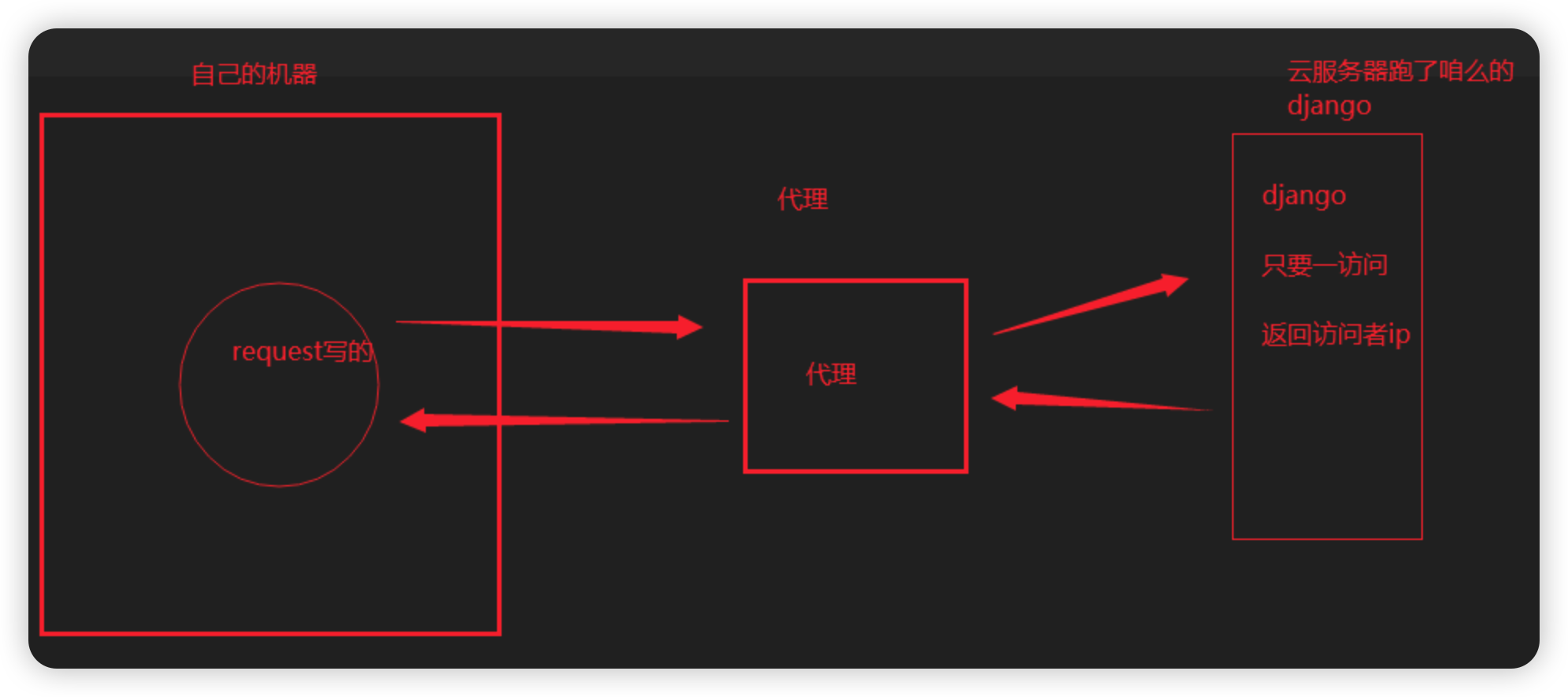
# 步骤:
	1 写个django,只要访问,就返回访问者ip
    2 部署在公网上---》python manage.py runserver 0.0.0.0:8000
    3 本机使用代理测试
    import requests
    res1 = requests.get('http://192.168.1.63:5010/get/?type=http').json()
    dic = {'http': res1['proxy']}
    print(dic)
    res = requests.get('http://47.93.190.59:8000/', proxies=dic)
    print(res.text)

# 补充:
	代理有 透明和高匿
    透明的意思:使用者最终的ip是能看到的
    高匿:隐藏访问者真实ip,服务端看不到
三、爬取视频网站
1、
2、
四、爬取新闻
1、
2、
五、bs4介绍喝遍历文档树
1、
2、