1.轻量级的虚拟机,可以像房间一样隔离每个应用,安装依赖一条命令。
保证同样的运行环境,解决每个计算机运行情况不同的问题。
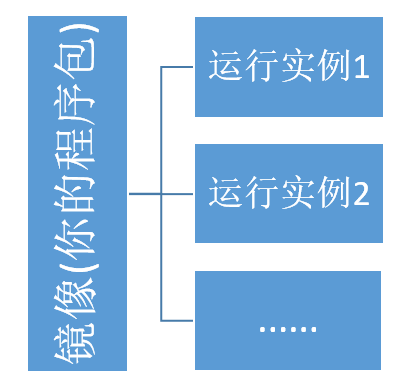
2.镜像是一个发布包,可以发布多个运行实例供用户访问。
3.可以将镜像 docker save 为压缩包给其他人用 命令: docker save -o ./ywtest.tar ywtest:v1
4.还原镜像:命令:docker load -i ./ywtest.tar
5.发布一个静态网页。
发布静态网页它也需要web服务器(这里的web服务器是nginx),docker 只提供了一个空的环境,你需要给定你程序的运行环境。
a.准备好html文件。
b.编写dockerfile.这个文件是要告诉docker 将你本地文件放到docker的一些关联信息,文件在下方。*这个文件没有后缀名
*留意 COPY 路径1 路径2 参数中间的空格隔开,代表将本地这个路径的文件复制到镜像下的路径里面。
# 指定基础镜像
FROM nginx

# 加一个配置文件放到容器中 项目专用
COPY ./yw.conf  /etc/nginx/conf.d/

# 这个路径与conf文件路径一致
COPY ./htmls/  /test/html/

# 这个是浏览器要录入的端口
EXPOSE 8026 8000
*yw.conf 配置文件如下: 这个文件留意8001代表镜像监听端口,浏览器输入Expose端口对应到这个8001端口下。 location:root代表本地项目文件会被放到这里dockerfile里面的路径要一致,index代表默认启始页面。


server {
    listen       8001;
    listen  [::]:8001;
    server_name  localhost;

    #access_log  /var/log/nginx/host.access.log  main;
    #容器中的文件目录,本地上传到这里
    location / {
        root   /test/html;
        index  aa.html aa.htm;
    }

    #error_page  404              /404.html;

    # redirect server error pages to the static page /50x.html
    #
    error_page   500 502 503 504  /50x.html;
    location = /50x.html {
        root   /usr/share/nginx/html;
    }

    # proxy the PHP scripts to Apache listening on 127.0.0.1:80
    #
    #location ~ \.php$ {
    #    proxy_pass   http://127.0.0.1;
    #}

    # pass the PHP scripts to FastCGI server listening on 127.0.0.1:9000
    #
    #location ~ \.php$ {
    #    root           html;
    #    fastcgi_pass   127.0.0.1:9000;
    #    fastcgi_index  index.php;
    #    fastcgi_param  SCRIPT_FILENAME  /scripts$fastcgi_script_name;
    #    include        fastcgi_params;
    #}

    # deny access to .htaccess files, if Apache's document root
    # concurs with nginx's one
    #
    #location ~ /\.ht {
    #    deny  all;
    #}
}