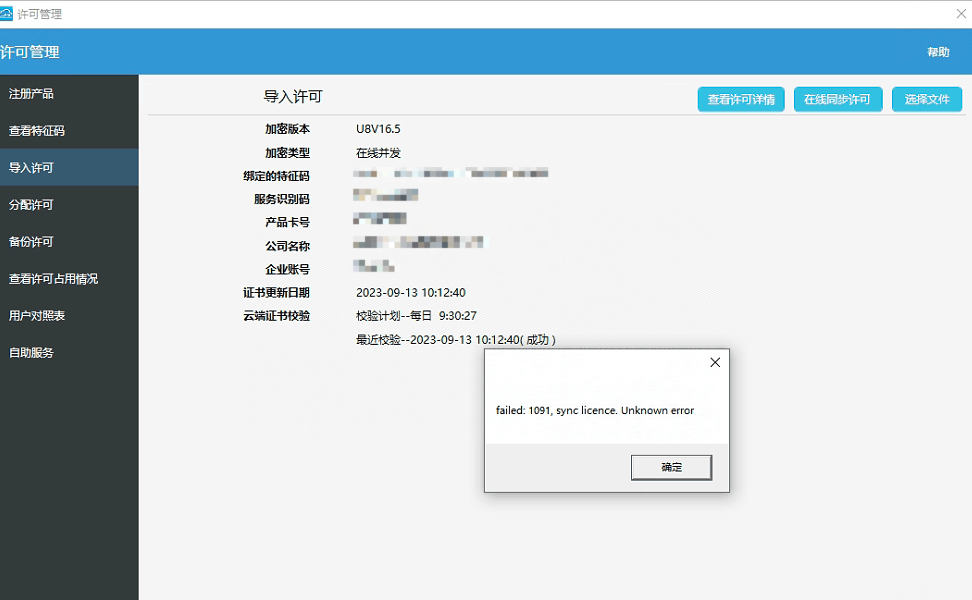
软件版本:用友U8 16.5 问题:许可管理--导入许可--在线同步许可报错 解决办法: 服务器上面找到U8的应用服务器,停止所有的U8服务; 将软件安装目录/U8SOFT/SoftSeccurity/data中的.temp文件剪切放到其他的文件下做并备份; 重新启动U8服务; 打开许可管理--导入许可---重新导入许可文件,重新同步许可即可。 本栏目推荐文章安装npm install报错npm ERR! code ETIMEDOUT npm ERR! errno ETIMEDOUT npm ERR! network request to https://registry.npmjs.org/webpack-subresource-integrity failed, reasonA connection was successfully established with the server but then an errorvscode错误:Unable to connect to VS Code server: Error in request.【解决方案】Error running,Command line is too longfish和pacman:“error: Unable to read input file: 是一个目录”报错的处理ERROR 2059 (HY000): Authentication plugin 'caching_sha2_password'mysql> GRANT ALL PRIVILEGES ON *.* TO 'root'@'%' WITH GRANT OPTION; ERROR 1410 (42000): You are not allowed to create a user with GRANT"nginx.conf" E514 : write error (file system full?)redis报错MISCONF Errors writing to the AOF file: No space left on device,磁盘满无法写入数据报错Flutter 项目运行到ios模拟器报错 : Error (Xcode): SDK does not contain 'libarclite'