JZTXT
  • 首页
  • Ai
  • Java
  • Python
  • Android
  • Mysql
  • JavaScript
  • Html
  • CSS

windows encoding

发布时间 2023-08-21 16:52:13作者: fndefbwefsowpvqfx

Computer\HKEY_LOCAL_MACHINE\SYSTEM\CurrentControlSet\Control\Nls\CodePage
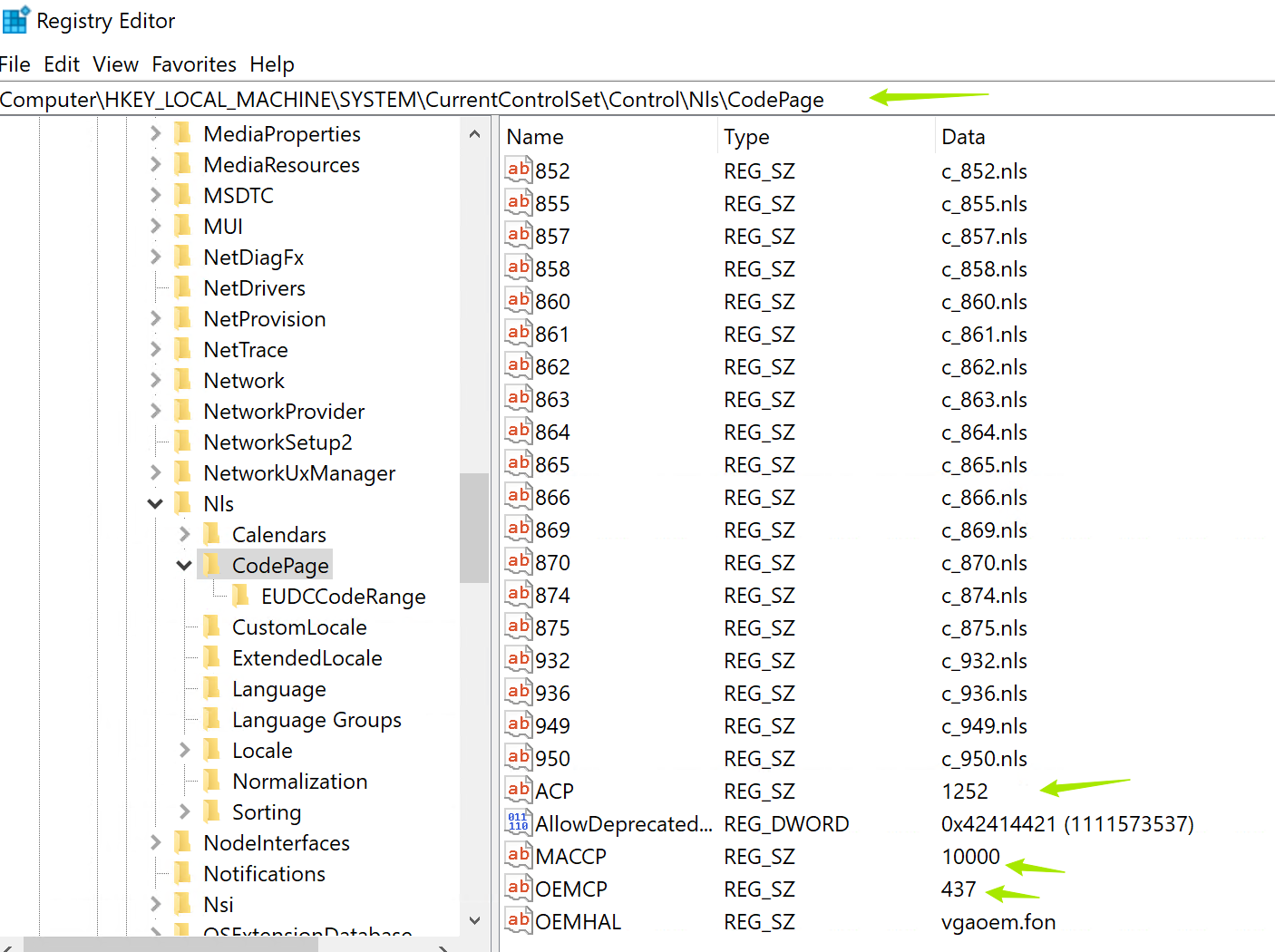
I leave here two ways to enable it, I think they will be helpful for many users:

    Win+R -> intl.cpl
    Administrative tab
    Click the Change system locale button.
    Enable Beta: Use Unicode UTF-8 for worldwide language support
    Reboot

or alternatively via reg file:

Windows Registry Editor Version 5.00

[HKEY_LOCAL_MACHINE\SYSTEM\CurrentControlSet\Control\Nls\CodePage]
"ACP"="65001"
"OEMCP"="65001"
"MACCP"="65001"

https://stackoverflow.com/questions/56419639/what-does-beta-use-unicode-utf-8-for-worldwide-language-support-actually-do

    本栏目推荐文章
  • OpenHarmony 上跑CV 应用 - Windows上搭建 Linux 桌面系统
  • Mac上运行windows软件-GPTK
  • Windows Server 2016 & 2019 工作站速配脚本
  • windows 命令行调整分辨率
  • Windows 7 SP 1 部署 .NET 6/7
  • Windows 10 中,可以使用 PowerShell 添加打印和文件服务的角色功能组件,包括 Internet 打印客户端、LPD 打印服务和 LPR 端口监视器 PowerShell 添加打印机并创建新的 LPR 端口。以下是添加打印机和创建新端口的 PowerShell 命令在 Windows 10 中,可以使用 PowerShell 添加 LPR 兼容打印机。
  • 在windows上建立与Linux的互连
  • 在Windows上出现"localhost拒绝连接”的问题
  • IPv6通过公网共享文件(Windows)
  • 提升Windows Server环境安全性:ADAudit Plus的五大关键优势
版权声明:本网站为非赢利性站点,本网站所有内容均来源于互联网相关站点自动搜索采集信息,相关链接已经注明来源。
联系我们