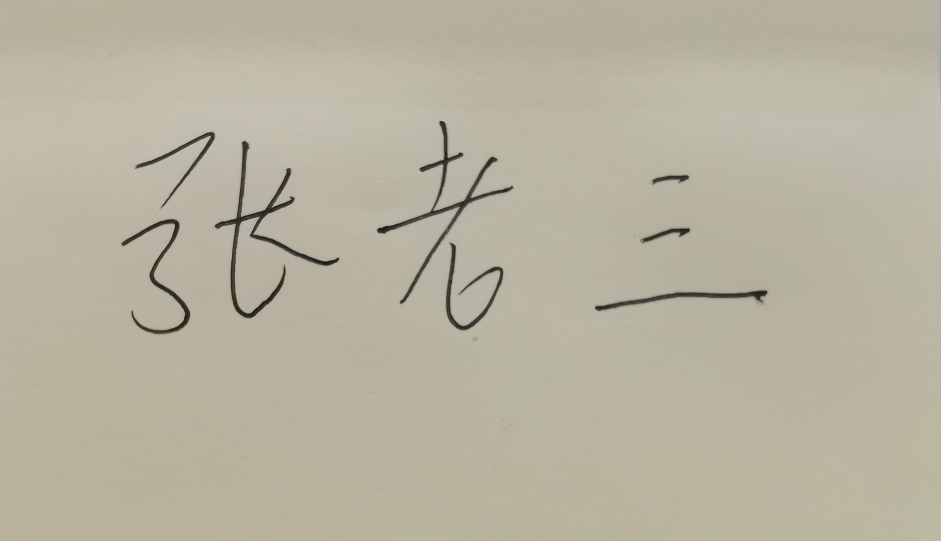
手写签名场景,为更符合签名效果,节省服务器存储空间,将原图二值化后,再将多于空白去裁去。
java中图像二值化有个小技巧,能够很方便将图像二值化,不用再重费心思去研究二值化过程,技巧在这个参数BufferedImage.TYPE_BYTE_BINARY
 1 package com.test;
 2
 3 import java.awt.Color;
 4 import java.awt.image.BufferedImage;
 5 import java.io.File;
 6 import java.io.IOException;
 7
 8 import javax.imageio.ImageIO;
 9
10 public class ImageBinaryUtil {
11
12     public static void binaryImage(String source,String target) {
13         try {
14             BufferedImage image = ImageIO.read(new File(source));
15             int width = image.getWidth();
16             int height = image.getHeight();
17             // 重点,技巧在这个参数BufferedImage.TYPE_BYTE_BINARY
18             BufferedImage binaryImage = new BufferedImage(width, height, BufferedImage.TYPE_BYTE_BINARY);
19             for (int y = 0; y < height; y++) {
20                 for (int x = 0; x < width; x++) {
21                     int rgb = image.getRGB(x, y);
22                     binaryImage.setRGB(x, y, rgb);
23                 }
24
25             }
26             ImageIO.write(binaryImage, "jpg", new File(target));
27         } catch (IOException e) {
28             e.printStackTrace();
29         }
30     }
31
32     public static void main(String[] args) throws IOException {
33         long l = System.currentTimeMillis();
34         String source = "C:\\Users\\user\\Desktop\\1.jpg";
35         String target = "C:\\Users\\user\\Desktop\\1二3.jpg";
36         binaryImage(source, target);;
37         System.out.println(System.currentTimeMillis() - l);
38     }
39 }
原图:
处理后:
