- 什么是网关呢?主要的作用是什么
根据名称网关意思就是网络的一个关卡,用于规范个拦截“过往”的请求。其有三个作用:1。做请求的路由转发 2。断言(请求规则的校验)3。过滤器。
Gateway三个核心概念
路由Routes:当请求到达Gateway网关时,Gateway Handler Mapping会根据URI匹配Routes路由信息,然后将Global Web Handler进行微服务应用程序的接口调用,调用之前会经过一系列的Filter,接口调用成功之后,也会经过一系列的Filter,最终返回给客户端,这就是Gateway网关的一个大致工作原理。
断言Predicates:是一些关于请求的判断,满足这些条件时才会进行放行
过滤器Filter:过滤器Filter是在调用微服务的过程中,可以在过滤器中增加一些额外的操作,比如:增加header头信息、去掉某些请求参数等等,有两种类型的过滤器:Gateway Filter路由过滤器 和 Global Filter全局过滤器。
1.简单使用:
现有:注册中心端口9000,common服务端口9002
-
1.1 依赖引入
<dependency>
    <groupId>org.springframework.cloud</groupId>
    <artifactId>spring-cloud-starter-gateway</artifactId>
</dependency>
这里切记不可引入外部的tomcat
gateway默认使用的是webFlux,而Tomcat使用的是netty,项目中不应引入Tomcat-embed-core依赖。
如果引入将会报错:org.springframework.core.io.buffer.DefaultDataBufferFactory cannot be cast to org.springframework.core.io.buffer.NettyDataBufferFactory
-
1.2 启动类:
@SpringBootApplication
public class SpringGatewayApplication {
    public static void main(String[] args) {
        SpringApplication.run(SpringGatewayApplication.class, args);
    }
}
-
1.3 网关配置:
这里使用.yml格式
server:
  port: 9003
spring:
  application:
    name: flowershop-gateway
  cloud:
    gateway:
      # 单个规则配置
      routes:
        - id: gateway-flower #路由id,唯一
          uri: http://localhost:9002/ #路由地址,针对哪个服务的路由
          predicates: #断言
            - Path=/** #路径断言,比如这样写 - Path=/api/**,则请求的路径开头时必须包含api的
            # - Header=custom-name, \d+ #Header头断言,表示请求的Header中必须要有custom-name字段,并且value是数字
-
1.4 测试运行
可以看到,我们的网关服务为9003,去请求9002服务的数据时是正常返回的
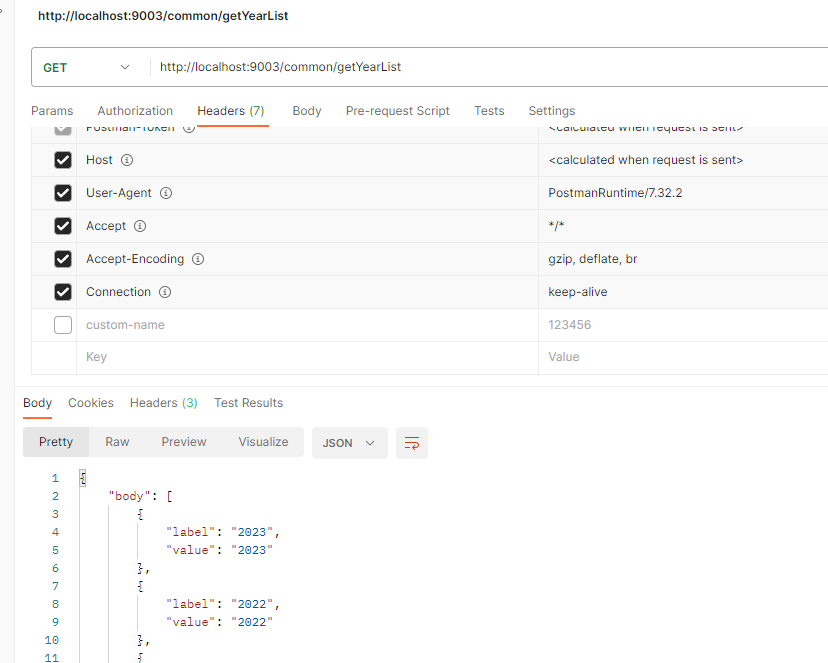
2.gateway做动态路由
上面的例子是针对每个服务做固定的路由,而在实际开发中我们的ip比较多可能随时迁移到其他的机器上有可能也会改变,这样我们还需要每改变一次就要动代码。下面我们介绍一种可以直接针对服务实例名就可以添加路由的方式。
这里需要用到服务的注册中心,我们使用的是Eureka,获取到注册中心上所有的实例,然后做动态路由
2.1.引入依赖
<dependency>
    <groupId>org.springframework.cloud</groupId>
    <artifactId>spring-cloud-starter-gateway</artifactId>
</dependency>
<dependency>
    <groupId>org.springframework.cloud</groupId>
    <artifactId>spring-cloud-starter-netflix-eureka-client</artifactId>
</dependency>
2.2. 配置注册中心,使用lb(注册中心负载均衡的获取uri)获取uri
eureka:
  client:
    fetch-registry: true # 从 eureka 服务端获取注册信息
    register-with-eureka: true # 将自身注册到 eureka 服务端
    service-url:
      defaultZone: http://localhost:9000/eureka
spring:
  application:
    name: flowershop-gateway
  cloud:
    gateway:
      # 单个规则配置
      routes:
        - id: gateway-flower #路由id,唯一
          uri: lb://flowershop-common #路由地址,针对哪个服务的路由
          predicates: #断言
            - Path=/** #路径断言,比如这样写 - Path=/api/**,则请求的路径开头时必须包含api的
#            - Header=custom-name, \d+ #Header头断言,表示请求的Header中必须要有custom-name字段,并且value是数字
重新clean、compile一下本服务。重新启动。输入本服务的IP端口测试
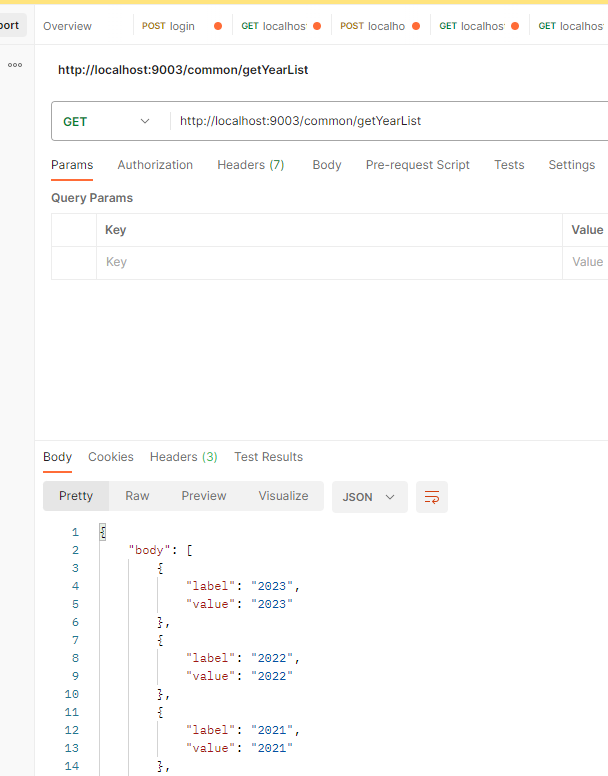
验证成功
3.gateway 自动获取路由配置
由于后期微服务的越来越多,我们并不需要将新增的服务都来配置一遍,因此使用springcloud的自动获取路由功能。
3.1.自动获取路由配置
spring:
  application:
    name: flowershop-gateway
  cloud:
    gateway:
      # 动态服务转发
      discovery:
        locator:
          enabled: true
          lower-case-service-id: true
只需要加入这个就可以开启自动获取路由功能了。
我们访问时前缀需要加上需要请求服务的实例名
比如我们上述一直请求的服务的实例名为:flowershop-common
我们进行访问如下:
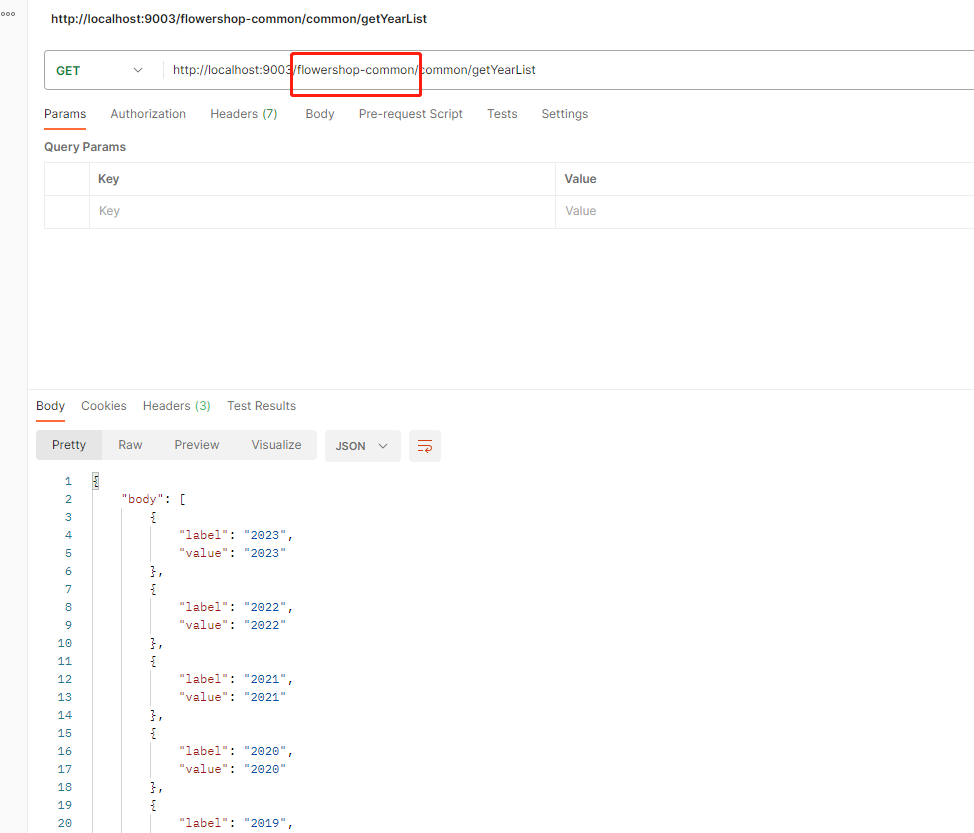
验证成功,那么此时如果我们还需要对其中一些服务进行特殊处理,比如限制其中一个服务使用断言,那么就需要将此服务添加到配置中,如下
spring:
  application:
    name: flowershop-gateway
  cloud:
    gateway:
      # 动态服务转发
      discovery:
        locator:
          enabled: true
          lower-case-service-id: true
      # 单个规则配置
      routes:
        - id: gateway-flower #路由id,唯一
          uri: lb://flowershop-common #路由地址,针对哪个服务的路由
          predicates: #断言
            - Path=/** #路径断言,比如这样写 - Path=/api/**,则请求的路径开头时必须包含api的
此时的动态路由跟单个规则的配置都会生效。