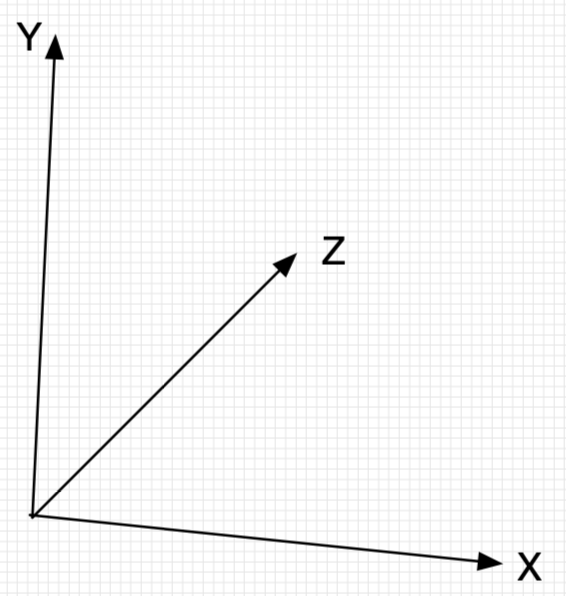
一、理解babylon.js 坐标系
const createScene = function () {
    const scene = new BABYLON.Scene(engine);

    const camera = new BABYLON.ArcRotateCamera("camera", -Math.PI / 2, Math.PI / 2.5, 3, new BABYLON.Vector3(0, 0, 0));
    camera.attachControl(canvas, true);
    const light = new BABYLON.HemisphericLight("light", new BABYLON.Vector3(1, 1, 0));

    //方块1(靠左,靠下,靠前)
    const box1 = BABYLON.MeshBuilder.CreateBox("box", { size: 0.4 }, scene);
    //Vector(x,y,z) 表示x,y,z三轴的坐标值
    box1.position = new BABYLON.Vector3(-1, -0.199, -0.4);

    //方块2(放在正中央)
    const box2 = BABYLON.MeshBuilder.CreateBox("box", { size: 0.4 }, scene);
    box2.position = new BABYLON.Vector3(0, 0, 0);

    //方块3(靠右,靠上,靠后)
    const box3 = BABYLON.MeshBuilder.CreateBox("box", { size: 0.4 }, scene);
    box3.position = new BABYLON.Vector3(1, 0.2, 0.4);

    var ground = BABYLON.MeshBuilder.CreateGround("ground", { width: 3, height: 1.5 }, scene);
    let groundMaterial = new BABYLON.StandardMaterial("Ground Material", scene);
    ground.material = groundMaterial;
    ground.material.diffuseColor = BABYLON.Color3.Black();

    return scene;
};
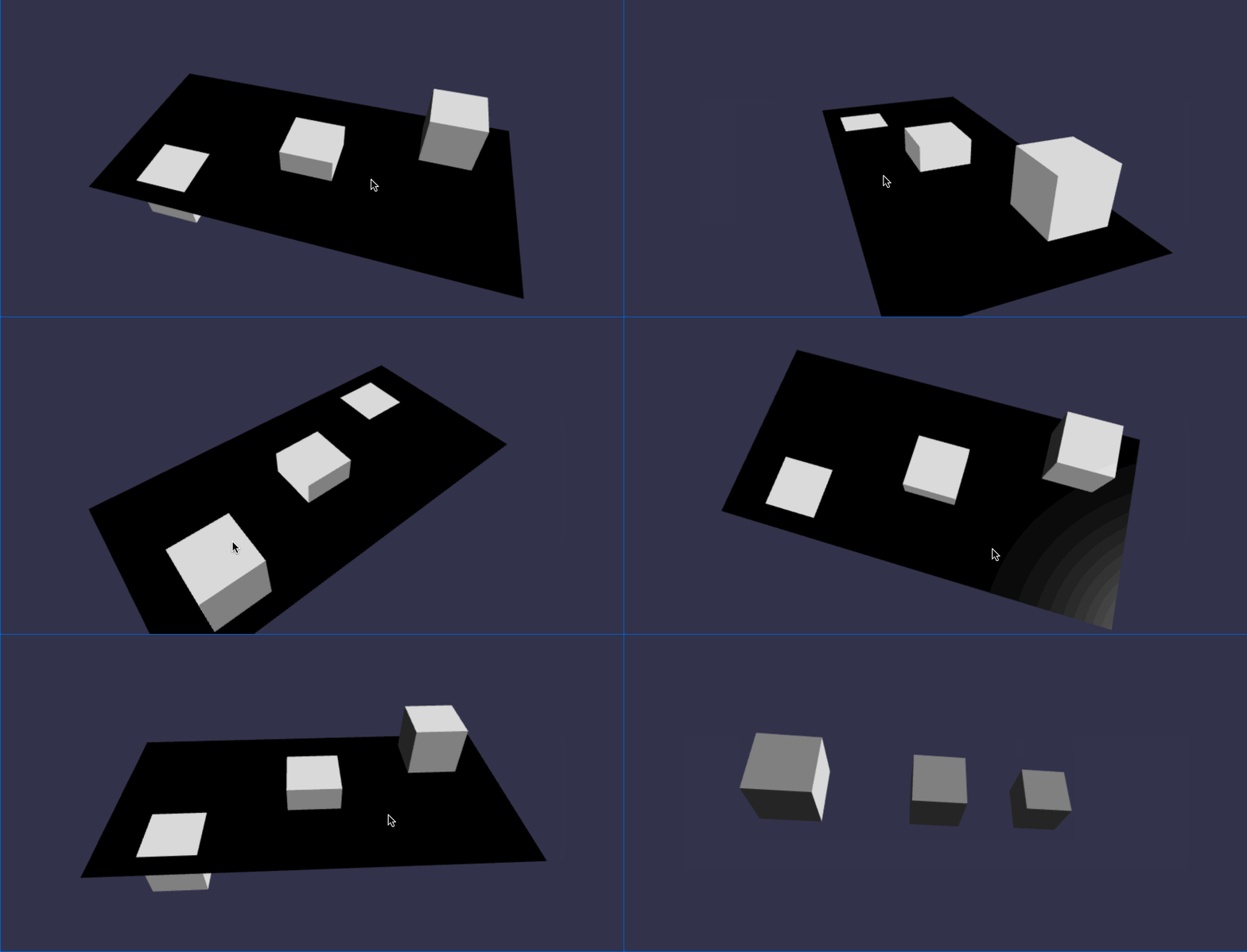
在线地址:https://yjmyzz.github.io/babylon_js_study/day03/01.html
//方块1(靠左,靠下,靠前)
const box1 = BABYLON.MeshBuilder.CreateBox("box", { size: 0.4 }, scene);
//Vector(x,y,z) 表示x,y,z三轴的坐标值
box1.position = new BABYLON.Vector3(-1, -0.199, -0.4);
box1.scaling = new BABYLON.Vector3(0.5, 1, 1);

//方块2(放在正中央)
const box2 = BABYLON.MeshBuilder.CreateBox("box", { size: 0.4 }, scene);
box2.position = new BABYLON.Vector3(0, 0, 0);
box2.scaling = new BABYLON.Vector3(1, 0.5, 1);
//绕y轴转45度
box2.rotation = new BABYLON.Vector3(0,Math.PI/4,0);

//方块3(靠右,靠上,靠后)
const box3 = BABYLON.MeshBuilder.CreateBox("box", { size: 0.4 }, scene);
box3.position = new BABYLON.Vector3(1, 0.2, 0.4);
box3.scaling = new BABYLON.Vector3(1, 1, 0.5);
box3.rotation = new BABYLON.Vector3(-Math.PI/4,0,0);

在线地址:https://yjmyzz.github.io/babylon_js_study/day03/02.html
二、画1个简单的小房子

如上图,画1个三棱柱,以及1个立方体,组合起来即可。但babylon.js中并没有创建三棱柱的api,只能创建圆柱体,还记得前面学过的吗?任何复杂的对象(即mesh),都是一堆小三角形及各种切面的组合,三角形数越多,最终的对象越逼真。当圆柱体的边数设置为3时,即退化成三棱柱。
//Cylinder的边tessellation足够大时,即为圆柱形
const roof0 = BABYLON.MeshBuilder.CreateCylinder("roof0", {diameter: 1.3, height: 1.2, tessellation: 32},scene);
roof0.position = new BABYLON.Vector3(-1,0.26,0);
roof0.scaling = new BABYLON.Vector3(0.25,0.25,0.25);

const roof1 = BABYLON.MeshBuilder.CreateCylinder("roof1", {diameter: 1.3, height: 1.2, tessellation: 32},scene);
roof1.position = new BABYLON.Vector3(-0.5,0.26,0);
roof1.scaling = new BABYLON.Vector3(0.25,0.25,0.25);
//绕x轴转90度
roof1.rotation = new BABYLON.Vector3(Math.PI / 2,0,0);

//Cylinder的边tessellation=3时,即为三棱柱
const roof2 = BABYLON.MeshBuilder.CreateCylinder("roof2", {diameter: 1.3, height: 1.2, tessellation: 3},scene);
roof2.position = new BABYLON.Vector3(0,0.24,0);
roof2.scaling = new BABYLON.Vector3(0.4,0.4,0.4);
roof2.rotation = new BABYLON.Vector3(0,Math.PI / 2,Math.PI / 2);


//三棱柱+方块,组合成1个简单的房子
const roof = BABYLON.MeshBuilder.CreateCylinder("roof", {diameter: 1.3, height: 1.2, tessellation: 3},scene);
roof.position = new BABYLON.Vector3(0.9,0.6,0);
roof.scaling = new BABYLON.Vector3(0.4,0.4,0.4);
roof.rotation = new BABYLON.Vector3(0,Math.PI / 2,Math.PI / 2);

const box = BABYLON.MeshBuilder.CreateBox("box", { size: 0.4 }, scene);
box.position = new BABYLON.Vector3(0.9, 0.24, 0);
box.scaling = new BABYLON.Vector3(0.95, 1.2, 0.95);

在线地址:https://yjmyzz.github.io/babylon_js_study/day03/03.html
样子是有了,但是光秃秃的,比较难看,可以给它贴上壁纸,先找二张壁纸图片:

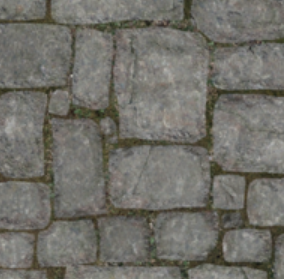
//设置屋顶及屋身的贴图材质
const roofMat = new BABYLON.StandardMaterial("roofMat");
roofMat.diffuseTexture = new BABYLON.Texture("../assets/img/roof.jpg", scene);
const boxMat = new BABYLON.StandardMaterial("boxMat");
boxMat.diffuseTexture = new BABYLON.Texture("../assets/img/floor.png");

roof.material = roofMat;
box.material = boxMat;
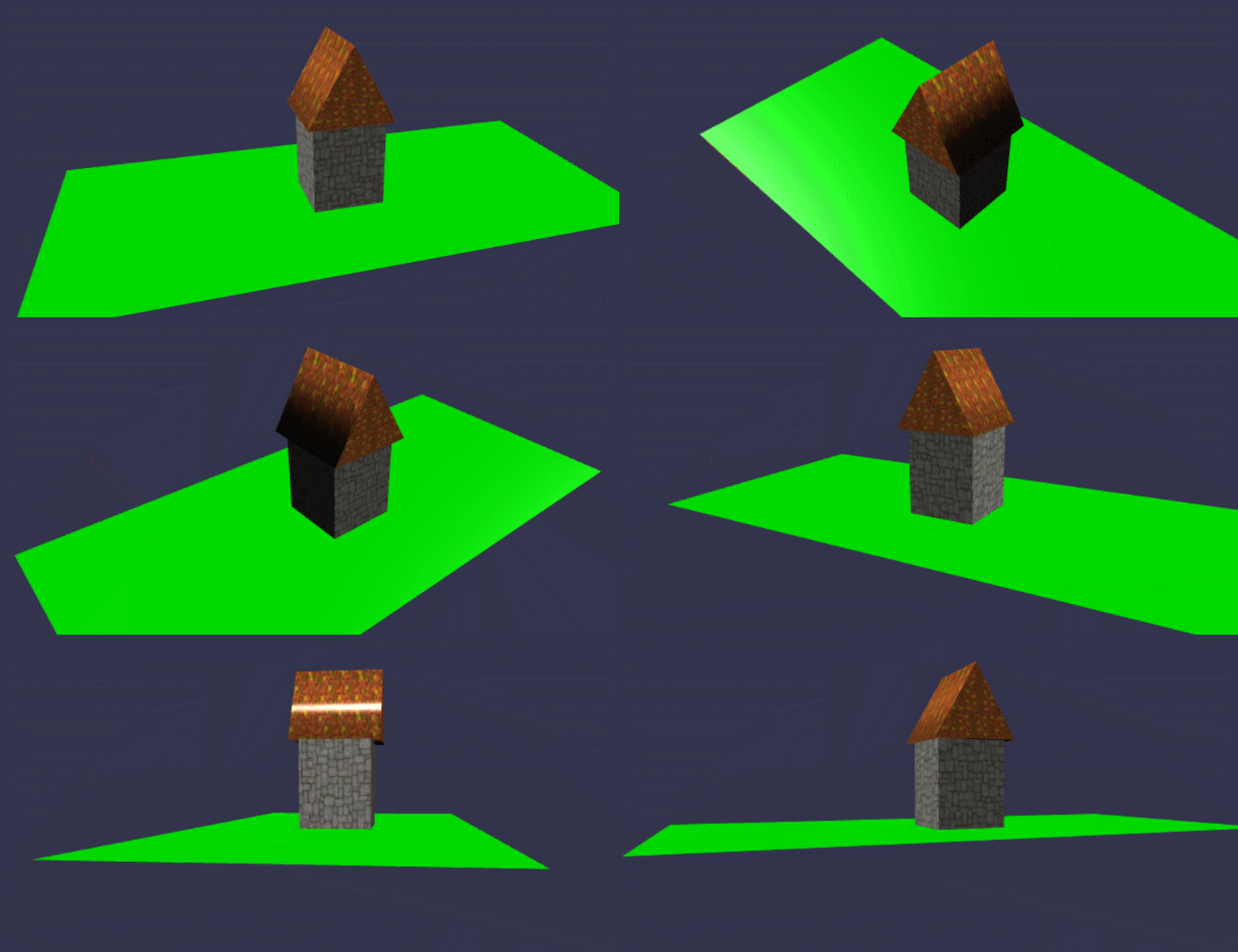
在线地址: https://yjmyzz.github.io/babylon_js_study/day03/04.html
房子是有窗户的,再来看看如何解决窗户的问题,答案仍然是在贴图上做文章,比如将下面这张带窗户的贴纸,在整个屋身上贴一圈即可
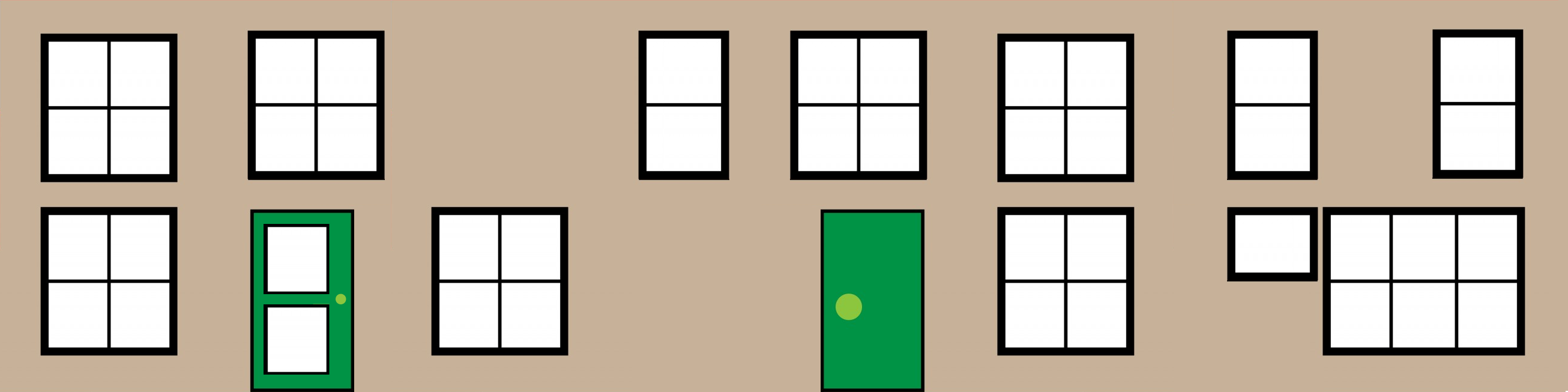
象不象某些地方的形象工程,哈

尝试用这个新贴图试一下:
//对比,画1个方块,用cubehouse贴图
const box2 = BABYLON.MeshBuilder.CreateBox("box", { size: 0.4 }, scene);
box2.position = new BABYLON.Vector3(1, 0.24, 0);
box2.scaling = new BABYLON.Vector3(0.95, 1.2, 0.95);
const boxMat2 = new BABYLON.StandardMaterial("boxMat2");
boxMat2.diffuseTexture = new BABYLON.Texture("../assets/img/cubehouse.png");
box2.material = boxMat2;
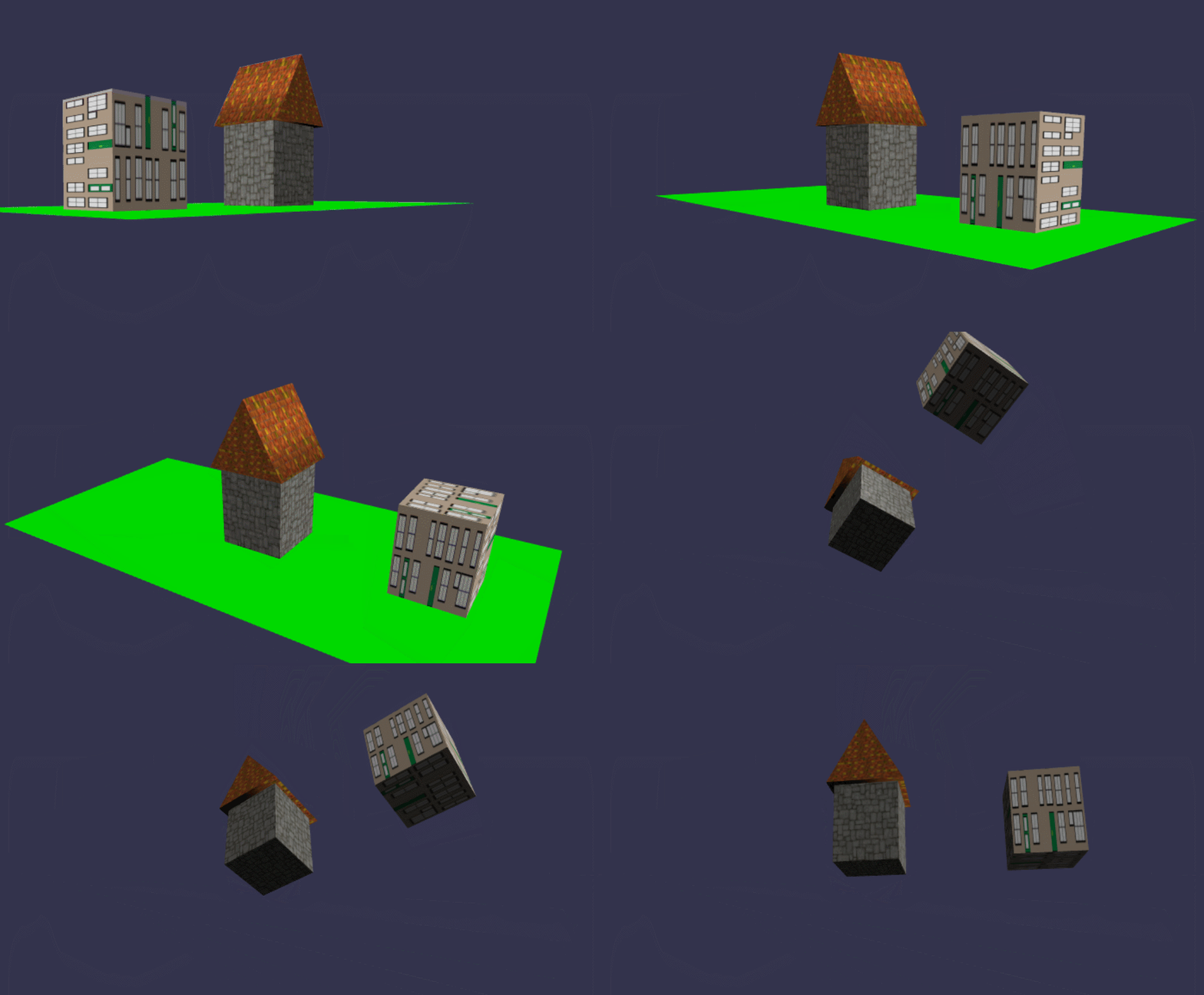
在线地址:https://yjmyzz.github.io/babylon_js_study/day03/05.html
好象有哪里不对,这看上去,象个快递包裹^_~,让我们想一想:
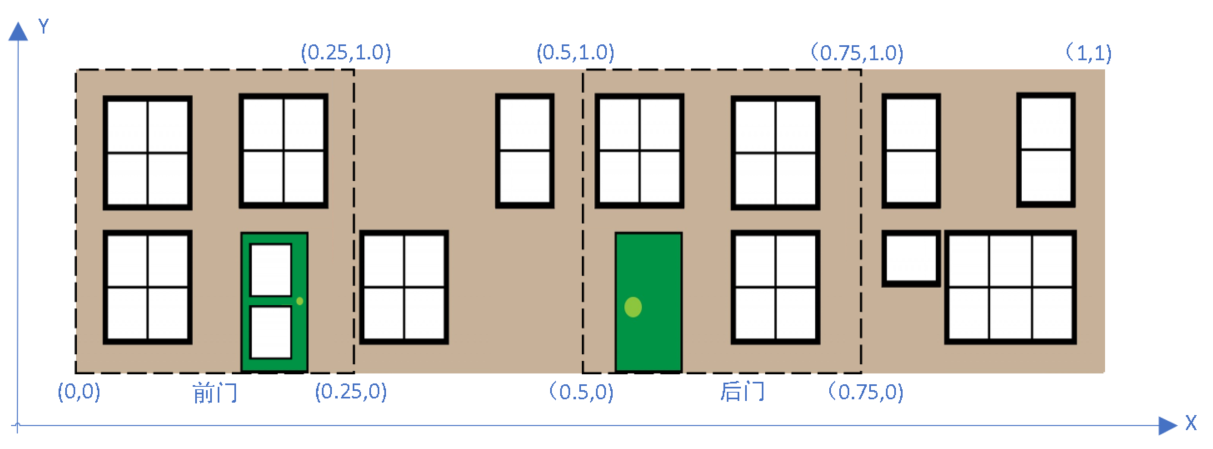
一般情况下,不用看屋身的底部和顶部(注:底部是绿色的大地,顶部被屋顶挡住了),所以可以将这张贴图切为4份,分别贴在屋身的前后左右。从CreateBox的API文档知,有1个参数faceUV可以指定box每个面的贴图:
//屋身四面的贴图坐标
const faceUV = [];
faceUV[0] = new BABYLON.Vector4(0.5, 0.0, 0.75, 1.0); //后面
faceUV[1] = new BABYLON.Vector4(0.0, 0.0, 0.25, 1.0); //前面
faceUV[2] = new BABYLON.Vector4(0.25, 0, 0.5, 1.0); //右面
faceUV[3] = new BABYLON.Vector4(0.75, 0, 1.0, 1.0); //左面

...
const box2 = BABYLON.MeshBuilder.CreateBox("box", { size: 0.4,faceUV:faceUV }, scene);
...

在线地址:https://yjmyzz.github.io/babylon_js_study/day03/06.html
参考文档:
https://doc.babylonjs.com/features/introductionToFeatures/chap2/variation