第一次作业

发布时间 2023-10-14 15:26:39作者: blackcathead

基于Tkinter库设计的计算器

Tkinter库:Tkinter是Python的标准GUI库。使用Tkinter库可以可以快速的创建GUI应用程序。

1、创建计算器的窗口

复制代码
# 创建一个窗口
root = tk.Tk()
root.minsize(300, 480)
root.title('计算器')
result1 = tk.StringVar()
result1.set(0)
result2 = tk.StringVar()
result2.set('')
复制代码

2、设置屏幕显示

复制代码
#算式显示
screen2 = tk.Label(root, font=('微软雅黑', 20), bg='#EEE9E9', bd='9', fg='black', textvariable=result1, anchor='se')
screen2.place(width=300, height=170)
#结果显示
screen1 = tk.Label(root, font=('微软雅黑', 30), bg='#0000FF', bd='9', fg='black', textvariable=result2, anchor='se')
screen1.place(width=300, height=110)
复制代码

3、申明并定义点击函数

# 操作函数
lists = []
ispressfunction = False
ispressnumber = False
ispressequal = False

  1、#点击数字定义

复制代码
def pressnumber(num):
    global lists
    global ispressfunction
    global ispressequal

    if ispressequal == False:
        pass
    else:
        ispressequal = False
        result1.set('')

    if ispressfunction == False:
        pass
    else:
        result1.set(0)
        ispressfunction = False

    oldnum = result1.get()
    if oldnum == '0':
        result1.set(num)
    else:
        newnum = oldnum + num
        result1.set(newnum)
复制代码

  2、# 点击功能键定义

复制代码
def pressfunction(stringlist):
    global lists
    global ispressfunction
    global ispressequal

    num = result1.get()
    lists.append(num)
    shizi = ''
    ispressfunction = True

    if stringlist in ['-', '+', '/', '*']:

        lists.append(stringlist)
        for each in lists:
            shizi += each
        result2.set(shizi)

    if stringlist == '1/2':
            list1 = []
            numnow = result1.get()
            list1.append("sqrt(" + numnow + ")")
            sqrt1 = m.pow(int(numnow),1/2)
            result2.set(list1)
            result1.set(sqrt1)

    if stringlist == 'C':
        lists.pop()
        result1.set(0)
        ispressfunction = False
        ispressnumber = False
        ispressequal = False

    if stringlist == 'CE':
        lists.clear()
        result1.set(0)
        result2.set('')

    if stringlist == '←':
        a = num[0:-1]
        lists.pop()
        result1.set(a)
复制代码

4、定义按键位置

复制代码
# 第一行
buttonce = tk.Button(root, font=('微软雅黑', 20), text='1/2', bd='0.5', fg='blue', command=lambda: pressfunction('1/2'))
buttonce.place(x=140, y=170, width=60, height=50)

buttonc = tk.Button(root, font=('微软雅黑', 20), text='C', bd='0.5', bg='orange', fg='black', command=lambda: pressfunction('C'))
buttonc.place(x=70, y=170, width=60, height=50)

buttondelete = tk.Button(root, font=('微软雅黑', 20), text='←', bd='0.5',bg='orange', fg='black',command=lambda: pressfunction('←'))
buttondelete.place(x=0, y=170, width=60, height=50)

buttondiv = tk.Button(root, font=('微软雅黑', 20), text='÷', bd='0.5', fg='blue', command=lambda: pressfunction('/'))
buttondiv.place(x=220, y=170, width=70, height=50)
# 第二行
button7 = tk.Button(root, font=('微软雅黑', 20), text='7', bd='0.5', bg='white', command=lambda: pressnumber('7'))
button7.place(x=0, y=230, width=60, height=50)

button8 = tk.Button(root, font=('微软雅黑', 20), text='8', bd='0.5', bg='white', command=lambda: pressnumber('8'))
button8.place(x=70, y=230, width=60, height=50)

button9 = tk.Button(root, font=('微软雅黑', 20), text='9', bd='0.5', bg='white', command=lambda: pressnumber('9'))
button9.place(x=140, y=230, width=60, height=50)

buttonmul = tk.Button(root, font=('微软雅黑', 20), text='×', bd='0.5', fg='blue', command=lambda: pressfunction('*'))
buttonmul.place(x=220, y=230, width=70, height=50)
# 第三行
button4 = tk.Button(root, font=('微软雅黑', 20), text='4', bd='0.5', bg='white', command=lambda: pressnumber('4'))
button4.place(x=0, y=290, width=60, height=50)

button5 = tk.Button(root, font=('微软雅黑', 20), text='5', bd='0.5', bg='white', command=lambda: pressnumber('5'))
button5.place(x=70, y=290, width=60, height=50)

button6 = tk.Button(root, font=("微软雅黑", 20), text='6', bd='0.5', bg='white', command=lambda: pressnumber('6'))
button6.place(x=140, y=290, width=60, height=50)

buttonsub = tk.Button(root, font=('微软雅黑', 20), text='-', bd='0.5', fg='blue', command=lambda: pressfunction('-'))
buttonsub.place(x=220, y=290, width=70, height=50)
# 第四行
button1 = tk.Button(root, font=('微软雅黑', 20), text='1', bd='0.5', bg='white', command=lambda: pressnumber('1'))
button1.place(x=0, y=350, width=60, height=50)

button2 = tk.Button(root, font=('微软雅黑', 20), text='2', bd='0.5', bg='white', command=lambda: pressnumber('2'))
button2.place(x=70, y=350, width=60, height=50)

button3 = tk.Button(root, font=("微软雅黑", 20), text='3', bd='0.5', bg='white', command=lambda: pressnumber('3'))
button3.place(x=140, y=350, width=60, height=50)

buttonadd = tk.Button(root, font=('微软雅黑', 20), text='+', bd='0.5', fg='blue', command=lambda: pressfunction('+'))
buttonadd.place(x=220, y=350, width=70, height=50)
# 第五行
buttoninverse = tk.Button(root, font=("微软雅黑", 20), text='CE', bg='orange', bd='0.5', fg='black',command=lambda: pressfunction('CE'))
buttoninverse.place(x=0, y=410, width=60, height=50)

button0 = tk.Button(root, font=("微软雅黑", 20), text='0', bd='0.5', bg='white', command=lambda: pressnumber('0'))
button0.place(x=70, y=410, width=60, height=50)

buttonpoint = tk.Button(root, font=("微软雅黑", 20), text='.', bd='0.5', fg='blue', command=lambda: pressnumber('.'))
buttonpoint.place(x=140, y=410, width=60, height=50)

buttonvalue = tk.Button(root, font=("微软雅黑", 20), text='=', bd='0.5', bg='orange', fg='black',command=lambda: pressequal())
buttonvalue.place(x=220, y=410, width=70, height=50)
复制代码

此为计算器界面。

5、#申明并定义结果函数

复制代码
def pressequal():
    global lists
    global ispressfunction
    global ispressequal

    ispressequal = True
    curnum = result1.get()
    lists.append(curnum)
    computrStr = ''.join(lists)
    endnum = eval(computrStr)
    result1.set(endnum)
    result2.set(computrStr)
    lists.clear()

root.mainloop()
复制代码


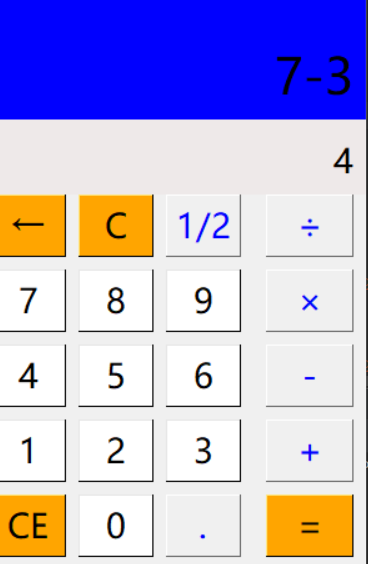
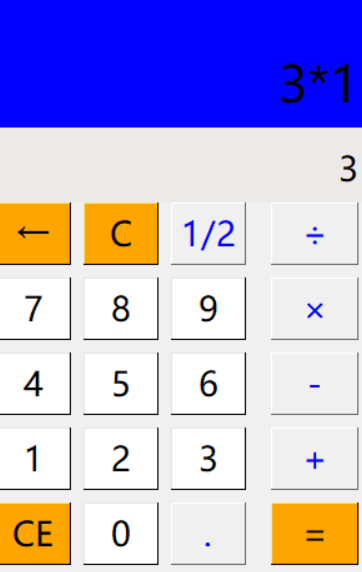
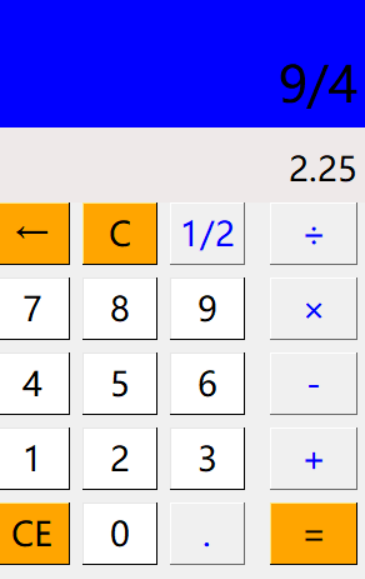
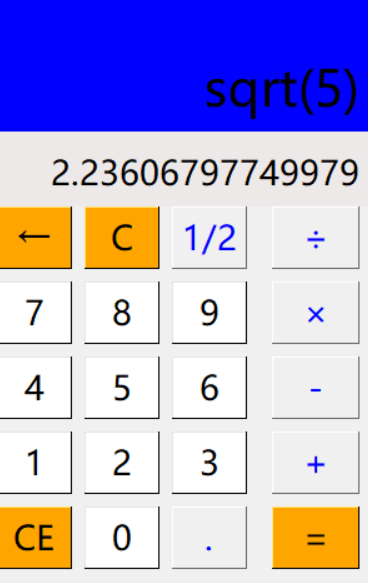
  点击按键后,白色显示窗会显示相应的数字和操作符号,当点击下一按键时,前一次按键会显示在蓝色显示窗上,点击“=”按键后,蓝色显示窗展示操作算式,白色显示窗会显示算式的结果。

运算结果

加:

减:
乘:
除:
求平方根:
以下是关键代码:

复制代码
import tkinter as tk  # 导入tkinter模块
import math as m

# 创建一个窗口
root = tk.Tk()
root.minsize(300, 480)
root.title('计算器')
result1 = tk.StringVar()
result1.set(0)
result2 = tk.StringVar()
result2.set('')

# 显示屏幕
#算式显示
screen2 = tk.Label(root, font=('微软雅黑', 20), bg='#EEE9E9', bd='9', fg='black', textvariable=result1, anchor='se')
screen2.place(width=300, height=170)
#结果显示
screen1 = tk.Label(root, font=('微软雅黑', 30), bg='#0000FF', bd='9', fg='black', textvariable=result2, anchor='se')
screen1.place(width=300, height=110)

# 第一行
buttonce = tk.Button(root, font=('微软雅黑', 20), text='1/2', bd='0.5', fg='blue', command=lambda: pressfunction('1/2'))
buttonce.place(x=140, y=170, width=60, height=50)

buttonc = tk.Button(root, font=('微软雅黑', 20), text='C', bd='0.5', bg='orange', fg='black', command=lambda: pressfunction('C'))
buttonc.place(x=70, y=170, width=60, height=50)

buttondelete = tk.Button(root, font=('微软雅黑', 20), text='', bd='0.5',bg='orange', fg='black',command=lambda: pressfunction(''))
buttondelete.place(x=0, y=170, width=60, height=50)

buttondiv = tk.Button(root, font=('微软雅黑', 20), text='÷', bd='0.5', fg='blue', command=lambda: pressfunction('/'))
buttondiv.place(x=220, y=170, width=70, height=50)
# 第二行
button7 = tk.Button(root, font=('微软雅黑', 20), text='7', bd='0.5', bg='white', command=lambda: pressnumber('7'))
button7.place(x=0, y=230, width=60, height=50)

button8 = tk.Button(root, font=('微软雅黑', 20), text='8', bd='0.5', bg='white', command=lambda: pressnumber('8'))
button8.place(x=70, y=230, width=60, height=50)

button9 = tk.Button(root, font=('微软雅黑', 20), text='9', bd='0.5', bg='white', command=lambda: pressnumber('9'))
button9.place(x=140, y=230, width=60, height=50)

buttonmul = tk.Button(root, font=('微软雅黑', 20), text='×', bd='0.5', fg='blue', command=lambda: pressfunction('*'))
buttonmul.place(x=220, y=230, width=70, height=50)
# 第三行
button4 = tk.Button(root, font=('微软雅黑', 20), text='4', bd='0.5', bg='white', command=lambda: pressnumber('4'))
button4.place(x=0, y=290, width=60, height=50)

button5 = tk.Button(root, font=('微软雅黑', 20), text='5', bd='0.5', bg='white', command=lambda: pressnumber('5'))
button5.place(x=70, y=290, width=60, height=50)

button6 = tk.Button(root, font=("微软雅黑", 20), text='6', bd='0.5', bg='white', command=lambda: pressnumber('6'))
button6.place(x=140, y=290, width=60, height=50)

buttonsub = tk.Button(root, font=('微软雅黑', 20), text='-', bd='0.5', fg='blue', command=lambda: pressfunction('-'))
buttonsub.place(x=220, y=290, width=70, height=50)
# 第四行
button1 = tk.Button(root, font=('微软雅黑', 20), text='1', bd='0.5', bg='white', command=lambda: pressnumber('1'))
button1.place(x=0, y=350, width=60, height=50)

button2 = tk.Button(root, font=('微软雅黑', 20), text='2', bd='0.5', bg='white', command=lambda: pressnumber('2'))
button2.place(x=70, y=350, width=60, height=50)

button3 = tk.Button(root, font=("微软雅黑", 20), text='3', bd='0.5', bg='white', command=lambda: pressnumber('3'))
button3.place(x=140, y=350, width=60, height=50)

buttonadd = tk.Button(root, font=('微软雅黑', 20), text='+', bd='0.5', fg='blue', command=lambda: pressfunction('+'))
buttonadd.place(x=220, y=350, width=70, height=50)
# 第五行
buttoninverse = tk.Button(root, font=("微软雅黑", 20), text='CE', bg='orange', bd='0.5', fg='black',command=lambda: pressfunction('CE'))
buttoninverse.place(x=0, y=410, width=60, height=50)

button0 = tk.Button(root, font=("微软雅黑", 20), text='0', bd='0.5', bg='white', command=lambda: pressnumber('0'))
button0.place(x=70, y=410, width=60, height=50)

buttonpoint = tk.Button(root, font=("微软雅黑", 20), text='.', bd='0.5', fg='blue', command=lambda: pressnumber('.'))
buttonpoint.place(x=140, y=410, width=60, height=50)

buttonvalue = tk.Button(root, font=("微软雅黑", 20), text='=', bd='0.5', bg='orange', fg='black',command=lambda: pressequal())
buttonvalue.place(x=220, y=410, width=70, height=50)

# 操作函数
lists = []
ispressfunction = False
ispressnumber = False
ispressequal = False

# 数字按键定义
def pressnumber(num):
    global lists
    global ispressfunction
    global ispressequal

    if ispressequal == False:
        pass
    else:
        ispressequal = False
        result1.set('')

    if ispressfunction == False:
        pass
    else:
        result1.set(0)
        ispressfunction = False

    oldnum = result1.get()
    if oldnum == '0':
        result1.set(num)
    else:
        newnum = oldnum + num
        result1.set(newnum)


# 功能键定义
def pressfunction(stringlist):
    global lists
    global ispressfunction
    global ispressequal

    num = result1.get()
    lists.append(num)
    shizi = ''
    ispressfunction = True

    if stringlist in ['-', '+', '/', '*']:

        lists.append(stringlist)
        for each in lists:
            shizi += each
        result2.set(shizi)

    if stringlist == '1/2':
            list1 = []
            numnow = result1.get()
            list1.append("sqrt(" + numnow + ")")
            sqrt1 = m.pow(int(numnow),1/2)
            result2.set(list1)
            result1.set(sqrt1)


    if stringlist == 'C':
        lists.pop()
        result1.set(0)
        ispressfunction = False
        ispressnumber = False
        ispressequal = False

    if stringlist == 'CE':
        lists.clear()
        result1.set(0)
        result2.set('')

    if stringlist == '':
        a = num[0:-1]
        lists.pop()
        result1.set(a)


# 结果
def pressequal():
    global lists
    global ispressfunction
    global ispressequal

    ispressequal = True
    curnum = result1.get()
    lists.append(curnum)
    computrStr = ''.join(lists)
    endnum = eval(computrStr)
    result1.set(endnum)
    result2.set(computrStr)
    lists.clear()

root.mainloop()
import tkinter as tk # import tkinter模块 import math as m # 创建一个窗口 root = tk.Tk() root.minsize(300, 480) root.title('计算器') 结果 1 = tk。StringVar() 结果1.套(0) 结果 2 = tk。StringVar() result2.set('') # 显示屏幕 #算式显示 屏幕2 = tk。Label(root, font=('微软雅黑', 20), bg='#EEE9E9', bd='9', fg='black', textvariable=result1, anchor='se') 屏幕2.位置(宽度=300,高度=170) #结果显示 屏幕 1 = tk。Label(root, font=('微软雅黑', 30), bg='#0000FF', bd='9', fg='black', textvariable=result2, anchor='se') 屏幕1.位置(宽度=300,高度=110) # 第一行 buttonce = tk.Button(root, font=('微软雅黑', 20), text='1/2', bd='0.5', fg='blue', command=lambda: pressfunction('1/2')) buttonce.place(x=140, y=170, width=60, height=50) 按钮C = tk。Button(root, font=('微软雅黑', 20), text='C', bd='0.5', bg='orange', fg='black', command=lambda: pressfunction('C')) 按钮c.place(x=70, y=170, 宽度=60, 高度=50) 按钮删除 = tk。Button(root, font=('微软雅黑', 20), text='←', bd='0.5',bg='orange', fg='black',command=lambda: pressfunction('←')) 按钮删除位置(x=0, y=170, 宽度=60, 高度=50) 按钮 = tk。Button(root, font=('微软雅黑', 20), text='÷', bd='0.5', fg='blue', command=lambda: pressfunction('/')) buttondiv.place(x=220, y=170, width=70, height=50) # 第二行 按钮7 = tk。Button(root, font=('微软雅黑', 20), text='7', bd='0.5', bg='white', command=lambda: pressnumber('7')) 按钮7.位置(x=0, y=230, 宽度=60, 高度=50) 按钮8 = tk。Button(root, font=('微软雅黑', 20), text='8', bd='0.5', bg='white', command=lambda: pressnumber('8')) 按钮8.位置(x=70, y=230, 宽度=60, 高度=50) 按钮 9 = tk。Button(root, font=('微软雅黑', 20), text='9', bd='0.5', bg='white', command=lambda: pressnumber('9')) 按钮9.位置(x=140, y=230, 宽度=60, 高度=50) 纽扣穆尔 = TK。Button(root, font=('微软雅黑', 20), text='×', bd='0.5', fg='blue', command=lambda: pressfunction('*')) buttonmul.place(x=220, y=230, width=70, height=50) # 第三行 button4 = tk.Button(root, font=('微软雅黑', 20), text='4', bd='0.5', bg='white', command=lambda: pressnumber('4')) 按钮4.位置(x=0, y=290, 宽度=60, 高度=50) 按钮5 = tk。Button(root, font=('微软雅黑', 20), text='5', bd='0.5', bg='white', command=lambda: pressnumber('5')) 按钮5.位置(x=70, y=290, 宽度=60, 高度=50) 按钮6 = tk。Button(root, font=(“微软雅黑”, 20), text='6', bd='0.5', bg='white', command=lambda: pressnumber('6')) 按钮6.位置(x=140, y=290, 宽度=60, 高度=50) 按钮子 = tk。Button(root, font=('微软雅黑', 20), text='-', bd='0.5', fg='blue', command=lambda: pressfunction('-')) buttonsub.place(x=220, y=290, width=70, height=50) # 第四行 按钮1 = tk.Button(root, font=('微软雅黑', 20), text='1', bd='0.5', bg='white', command=lambda: pressnumber('1')) 按钮1.位置(x=0, y=350, 宽度=60, 高度=50) 按钮 2 = tk。Button(root, font=('微软雅黑', 20), text='2', bd='0.5', bg='white', command=lambda: pressnumber('2')) 按钮2.位置(x=70, y=350, 宽度=60, 高度=50) 按钮 3 = tk。Button(root, font=(“微软雅黑”, 20), text='3', bd='0.5', bg='white', command=lambda: pressnumber('3')) 按钮3.位置(x=140, y=350, 宽度=60, 高度=50) 按钮添加 = tk。Button(root, font=('微软雅黑', 20), text='+', bd='0.5', fg='blue', command=lambda: pressfunction('+')) 按钮添加位置(x=220, y=350, 宽度=70, 高度=50) # 第五行 buttoninverse = tk.Button(root, font=(“微软雅黑”, 20), text='CE', bg='orange', bd='0.5', fg='black',command=lambda: pressfunction('CE')) buttoninverse.place(x=0, y=410, width=60, height=50) 按钮0 = tk。Button(root, font=(“微软雅黑”, 20), text='0', bd='0.5', bg='white', command=lambda: pressnumber('0')) 按钮0.位置(x=70, y=410, 宽度=60, 高度=50) 按钮点 = tk。Button(root, font=(“微软雅黑”, 20), text='.', bd='0.5', fg='blue', command=lambda: pressnumber('.')) buttonpoint.place(x=140, y=410, width=60, height=50) 按钮值 = tk。Button(root, font=(“微软雅黑”, 20), text='=', bd='0.5', bg='orange', fg='black',command=lambda: pressequal()) 按钮值.位置(x=220, y=410, 宽度=70, 高度=50) # 操作函数列表 = [] ispressfunction = 假 ispressnumber = 假 ispressequal=假 # 数字按键定义 def pressnumber(num): 全局列表 全球新闻功能 全球新闻平等 如果 ispressequal == False: 传递其他: ispressequal=假 结果1.set('') 如果 ispressfunction == 假: 传递其他: 结果1.套(0) ispressfunction = 假 oldnum = result1.get() 如果 oldnum == '0': 结果1.集(数) 还: 新数 = 旧数 + 数 结果1.集(新数) # 功能键定义 def pressfunction(stringlist): 全局列表 全球新闻功能 全球新闻平等 num = result1.get() lists.append(num) 石子='' ispressfunction = 真 如果字符串列表在 ['-', '+', '/', '*'] 中: lists.append(stringlist) 对于列表中的每个: 石子 += 每个 结果2.集(石子) 如果字符串列表 == '1/2': 列表1 = [] numnow = result1.get() list1.append(“sqrt(” + numnow + “)”) sqrt1 = m.pow(int(numnow),1/2) 结果2.集(列表1) 结果1.集(sqrt1) 如果字符串列表 == 'C': lists.pop() 结果1.套(0) ispressfunction = 假 ispressnumber = 假 ispressequal=假 如果字符串列表 == 'CE': lists.clear() 结果1.套(0) result2.set('') 如果字符串列表 == '←': a = 数字[0:-1] lists.pop() 结果1.集(a) # 结果 def pressequal(): 全局列表 全球新闻功能 全球新闻平等 ispressequal=True curnum = result1.get() lists.append(curnum) computrStr = ''.join(lists) endnum = eval(computrStr) 结果1.集(结束数) result2.set(computrStr) lists.clear() root.mainloop()