vue-cli2
main.js
import axios from 'axios'
Vue.prototype.$axios = axios
axios.defaults.baseURL = '/api'
Vue.config.productionTip = false
.vue
 var This = this
      var url = '/group1/M00/00/21/MejEvGOX_zOAL2kiAAAAUhB5Iqg138.txt?token=895acb60323e38e6d85b5c9a82466b61&ts=1670934451'
      axios.get(url, {responseType: 'blob'})
        .then((response) => {
          console.log('跨域,设置返回类型', response)
          This.handleExport(response.data)
        })
config/index.js
 proxyTable: {
      '/api':
        {
        target: 'https://tyzfbj.com',
        // http://172.16.33.27:5566/getHelp
        secure: false,
        changeOrigin: true,
        pathRewrite: {
          '^/api': ''//表示需要rewrite重写路径
          }
      }
    },
vue-cli3解决跨域
1.修改vue.config.js
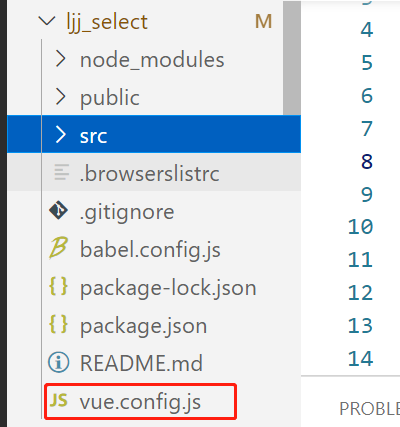 根目录创建 vue.config.js
module.exports = {
    devServer: {
      open: true, //是否自动弹出浏览器页面
      host: "localhost",
      port: 8080,
      // https: true,
      hotOnly: false,
      proxy: {
          '/api': {
              target: 'http://59.110.231.93:9001',  //https://tyzfbj.com
              changeOrigin: true, // 虚拟的站点需要更管origin
              pathRewrite: {
                //   '^/api': '' 无效
                '^/api': '/api'
              }
          }
      },
  },
}
2.使用
main.js增加
axios.defaults.baseURL = 'http://localhost:8080/api'
var url = '/api/group1/M00/00/21/MejEvGOX_zOAL2kiAAAAUhB5Iqg138.txt?token=895acb60323e38e6d85b5c9a82466b61&ts=1670934451'
      this.axios.get(url, {responseType: 'blob'})
        .then((response) => {
          console.log('跨域,设置返回类型', response)
        })