1、官方地址(https://github.com/goharbor/harbor/releases/)
2、下载
wget https://github.com/goharbor/harbor/releases/download/v2.8.0/harbor-offline-installer-v2.8.0.tgz
3、解压
tar zxvf harbor-offline-installer-v2.8.0.tgz -C /opt
4、copy配置文件并修改
cp /opt/harbor/harbor.yml.tmpl /opt/harbor/harbor.yml
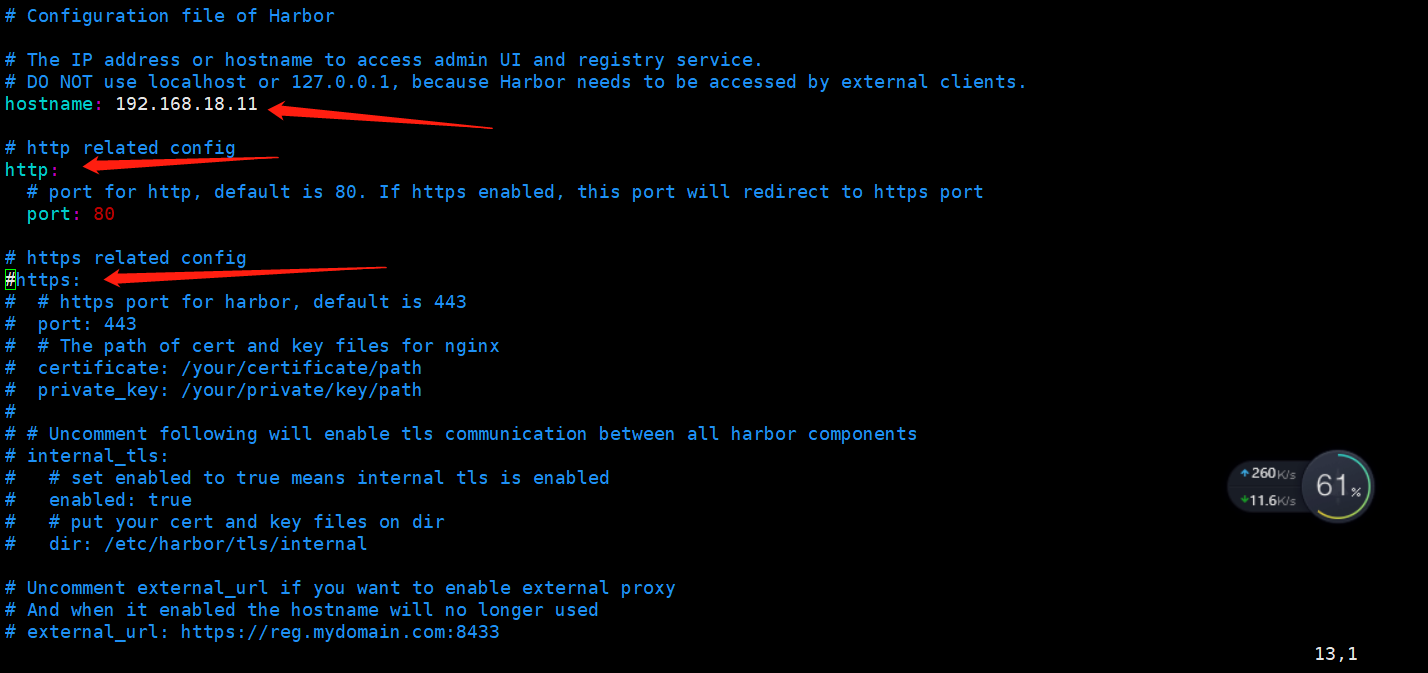
vim /opt/harbor/harbor.yml

#修改hostname和http的port
#注释掉https整段
5、运行
./prepare
./install.sh
6、访问
IP+端口号。

账号admin,密码Harbor12345