一、环境准备
命令行安装
pip install selenium-
浏览器驱动安装
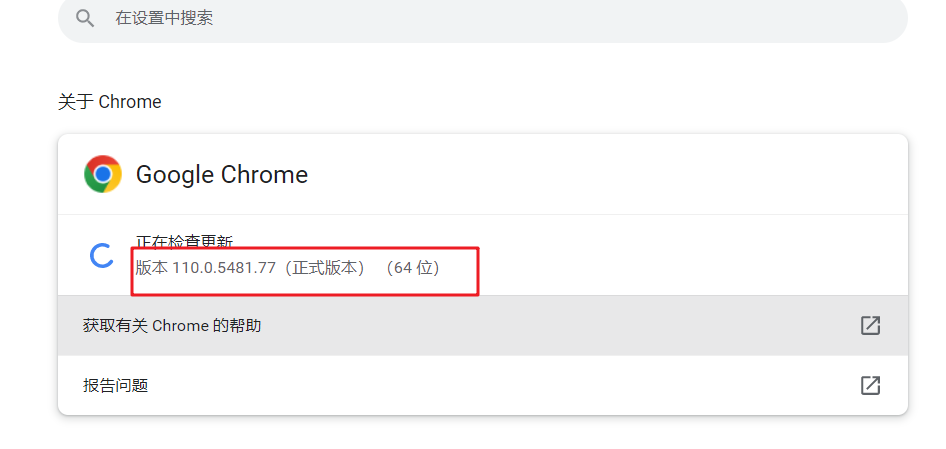
找到本地chrome的浏览器的版本
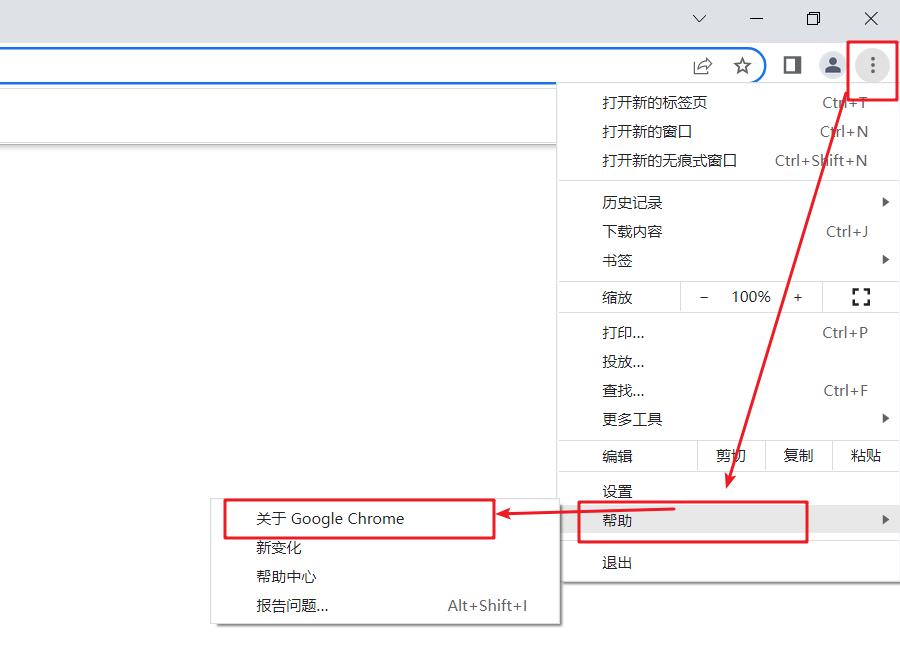
查看谷歌浏览器的版本号
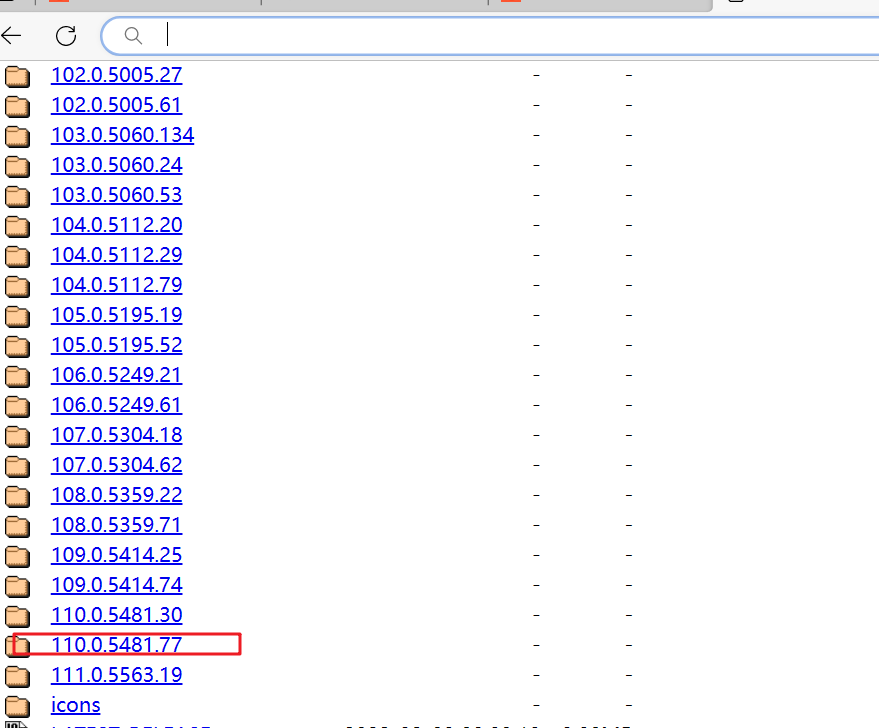
下载相应版本的驱动器,chrome浏览器驱动下载
地址:chromedriver.storage.googleapis.com/index.html
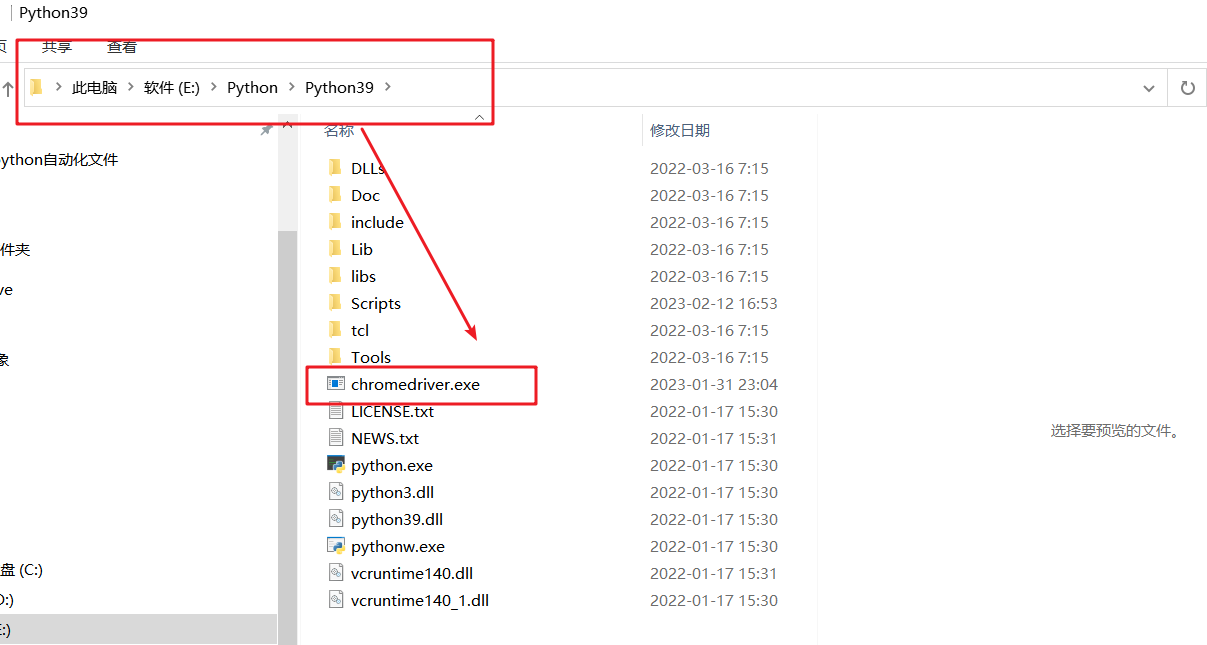
下载完后,解压到本地的python的目录下
其他浏览器驱动的下载链接:
geckodriver:https://firefox-source-docs.mozilla.org/testing/geckodriver/Support.html
edgedriver:https://developer.microsoft.com/en-us/microsoft-edge/tools/webdriver/#downloads
iedriver:https://selenium-release.storage.googleapis.com/index.html
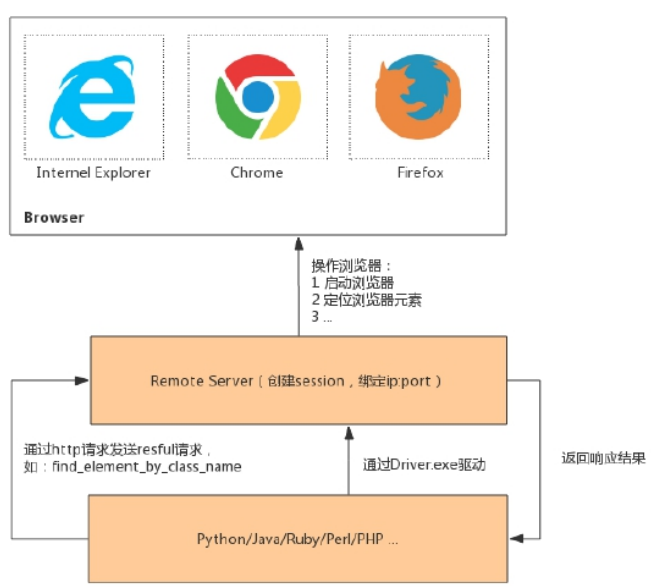
selenium原理
对于每一条Selenium脚本,一个http请求会被创建并且发送给浏览器的驱动,浏览器驱动中包含了一个HTTP Server,用来接收这些http请求,HTTP Server接收到请求后根据请求来具体操控对应的浏览器,浏览器执行具体的测试步骤,浏览器将步骤执行结果返回给HTTP Server,HTTP Server又将结果返回给Selenium的脚本,如果是错误的http代码我们就会在控制台看到对应的报错信息。
二、Selenium入门实例
import time
#导入包
from selenium import webdriver
# 创建浏览器驱动
driver = webdriver.Chrome()
# 打开网页
driver.get('http://localhost:8909/fIndex')
# 停止三秒
time.sleep(3)
# 退出浏览器
driver.quit()弹出浏览器,自动打开http://localhost:8909/fIndex,三秒后自动退出浏览器
