项目结构
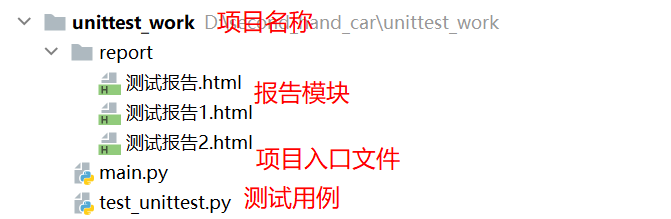
测试用例
import unittest


class LoginTestCase(unittest.TestCase):

    def test_login_success(self):
        self.assertEqual({'code': 200, 'msg': '登录成功'}, self.login('kobe', '666'))

    def test_login_fail(self):
        self.assertEqual({'code': 201, 'msg': '账号或者密码不正确'}, self.login('kobe', '888'))

    def test_not_username(self):
        self.assertEqual({'code': 201, 'msg': '账号不能为空'}, self.login('', '666'))

    def test_not_password(self):
        self.assertEqual({'code': 201, 'msg': '密码不能为空'}, self.login('kobe', ''))

    def test_not_username_password(self):
        self.assertEqual({'code': 201, 'msg': '账号和密码不能为空'}, self.login('', ''))

    def login(self, username, password):
        if username == 'kobe' and password == '666':
            return {'code': 200, 'msg': '登录成功'}

        if username == 'kobe' and username != '' and password != '666' and password != '':
            return {'code': 201, 'msg': '账号或者密码不正确'}

        if username == 'kobe' and password == '':
            return {'code': 201, 'msg': '密码不能为空'}

        if username == '' and password == '666':
            return {'code': 201, 'msg': '账号不能为空'}

        if username == '' and password == '':
            return {'code': 201, 'msg': '账号和密码不能为空'}
方法1:从类中加载所有的case
suite.addTest(loader.loadTestsFromTestCase(LoginTestCase))
from test_unittest import LoginTestCase


#创建测试套件对象
suite=unittest.TestSuite()
#创建加载器
loader=unittest.TestLoader()
#将测试用例加载到测试套件种
suite.addTest(loader.loadTestsFromTestCase(LoginTestCase))

#运行测试用例
#创建报告对象
br = BeautifulReport(suite)
test_name = '测试报告1.html'

BASE_DIR = os.path.dirname(__file__)
print(BASE_DIR)

REPORT_DIR = os.path.join(BASE_DIR, 'report')
print(REPORT_DIR)

br.report(description='测试报告', filename=test_name, report_dir=REPORT_DIR)
方法2:从模块中加载所有的测试用例
suite.addTest(loader.loadTestsFromModule(test_unittest))
import test_unittest

# todo 创建测试套件对象
suite = unittest.TestSuite()
# todo 创建加载器
loader = unittest.TestLoader()
# todo 将测试用例加载到测试套件中
suite.addTest(loader.loadTestsFromModule(test_unittest))
# todo 运行测试用例
# todo 创建报告对象
br = BeautifulReport(suite)
test_name = '测试报告.html'

BASE_DIR = os.path.dirname(__file__)
print(BASE_DIR)

REPORT_DIR = os.path.join(BASE_DIR, 'report')
print(REPORT_DIR)


br.report(description='测试报告', filename=test_name, report_dir=REPORT_DIR)
方法3:从文件夹中加载所有的测试用例
suite.addTest(loader.discover(r'D:\second_hand_car\unittest_work'))
#创建suite套件对象
suite=unittest.TestSuite()
#创建加载器
loader=unittest.TestLoader()
#将测试用例加载到测试套件中
suite.addTest(loader.discover(r'D:\second_hand_car\unittest_work'))
#创建报告对象
br=BeautifulReport(suite)
test_name = '测试报告2.html'

BASE_DIR = os.path.dirname(__file__)
print(BASE_DIR)

REPORT_DIR = os.path.join(BASE_DIR, 'report')
print(REPORT_DIR)
br.report(description='测试报告', filename=test_name, report_dir=REPORT_DIR)
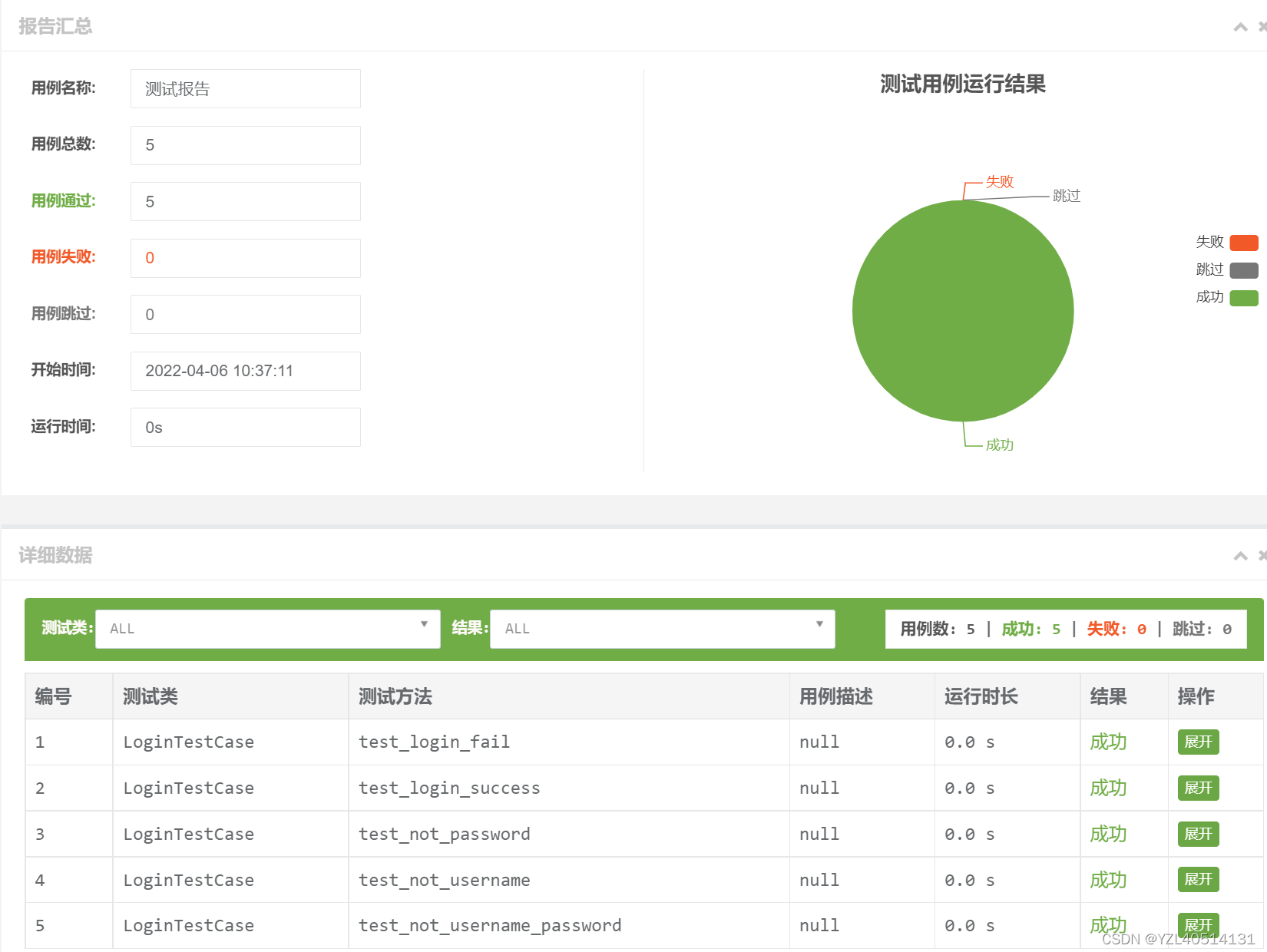
测试报告
***关于报告存储
BASE_DIR=os.path.dirname(__file__):当前项目的根路径
BASE_DIR1=os.path.dirname(os.path.dirname(__file__)):当前项目的根路径的上一级目录
REPORT_DIR=os.path.join(BASE_DIR,'report'):项目目录下创建report包,用于存放测试报告,将report和项目根路径进行拼接,得到完整的包路径
项目结构
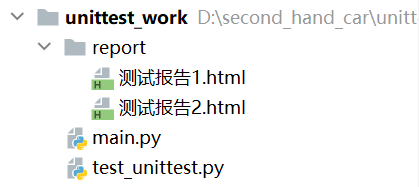
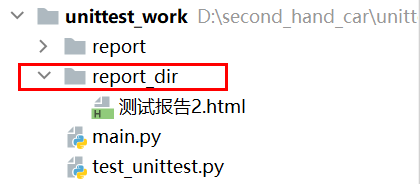
如果根目录和所拼接的包不存在,会自动生成所拼接的包
例如:当前report_dir目录不存在,用根目录和report_dir进行拼接,会生成report_dir包
REPORT_DIR = os.path.join(BASE_DIR, 'report_dir')
print(REPORT_DIR)