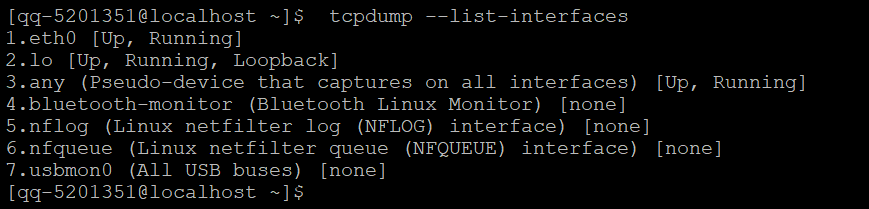
第一步:首先可以通过tcpdump命令的--list-interfaces选项,列出系统中的所有网络接口(这个与ip addr列出的还有略有点点差异)
-D
--list-interfaces
       Print  the  list  of  the network interfaces available on the system and on which tcpdump can capture packets.
       For each network interface, a number and an interface name, possibly followed by a  text  description  of  the
       interface,  is  printed.  The interface name or the number can be supplied to the -i flag to specify an inter‐
       face on which to capture.

       This can be useful on systems that don't have a command to list them (e.g., Windows systems, or  UNIX  systems
       lacking  ifconfig -a); the number can be useful on Windows 2000 and later systems, where the interface name is
       a somewhat complex string.

       The -D flag will not be supported if tcpdump was built with  an  older  version  of  libpcap  that  lacks  the
       pcap_findalldevs() function.
因为建议还是直接使用 tcpdump --list-interfaces 进行查询,查询使用普通用户都是可以的,结果类似下图所示